Create Playbooks
The system defaults to time out at one hour for a playbook, and 15 minutes for a connector action. Keep this in mind when creating playbooks to execute and run.
Playbook action input and outputs are limited to 20MiB. You should always narrow data down as much as possible for playbook and action performance. For more information about file-handling limits, click Playbook File HandlingPlaybook File Handling.
Create Playbooks
To create a playbook:
- From the navigation menu, click ORCHESTRATION.
Click Playbooks.
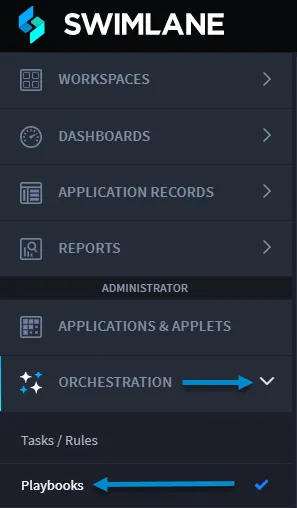
- From the Playbooks home page task bar, click the plus menu icon, and then select Create a new playbook.
In New Playbookwindow, enter a Namefor the playbook and (optionally) a description, and then click Save.
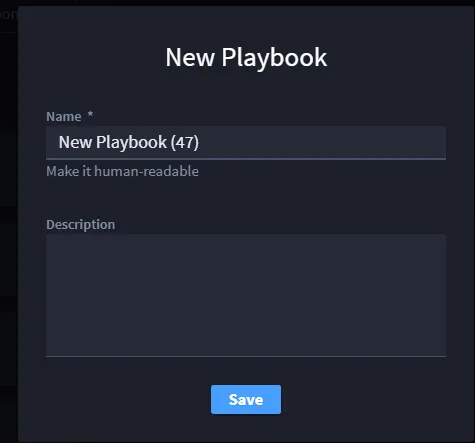
The playbook opens.
If you want to import Swimlane Solution Package files (.ssp files), see Import Swimlane Solution PackagesImport Swimlane Solution Packages.
Enabled Playbook Toggle
To view details about how to enable/disable a playbook, click Enable and Disable PlaybooksEnable and Disable Playbooks.
Select Action/Nested Playbook
To add an action/nested playbook, follow the instructions on the ActionsActions and Nested PlaybooksNested Playbooks pages.