Playbooks
Playbooks are where automation is built quickly and easily and enriches data processing. With Swimlane Turbine's playbooks, anyone can create modular, repeatable automations that process real-time data.
What are Playbooks?
Playbooks are self-contained modular entities that help you quickly and easily build and/or enrich automation processes.
Playbooks contain:
- Triggers
- Actions
- Conditions
- Inputs and Outputs
- Repeats
- forEach Loops
Playbooks are initiated by triggers and used to achieve desired outcomes.
Playbook Inputs
Playbook inputs pass and normalize data into a playbook from a trigger, application, or event.
Triggers
One or more triggers automate actions based on the criteria set within a playbook. Swimlane Turbine currently uses four types of triggers to retrieve and/or ingest data.
- Webhooks
- Record events
- Schedules
- Record action button
Once a playbook has been triggered, a series of actions within that playbook are executed.
Actions
Actions are tasks within a playbook and a series of operations that happen when the playbook is executed.
Actions:
- Include details to execute a task, i.e., connectors and assets (used for third-party authentication)
- Have inputs and outputs.
- Can be configured with advanced steps, i.e. repeats.
- Are drag-and-drop for intuitive logic flow
Conditions
Conditions:
- Allow playbook builders to execute actions in a playbook when specific criteria are met.
- Can operate based off of properties from other actions or triggers.
- Have configured conditional statements, if desired.
- Contain on success, on failure, and on complete condition expressions.
Playbook Outputs
Action outputs are the response and/or result(s) from a connector technology, which can be applied as an input for other actions within your playbook, or promoted for use outside of the current playbook.
Playbook Architecture
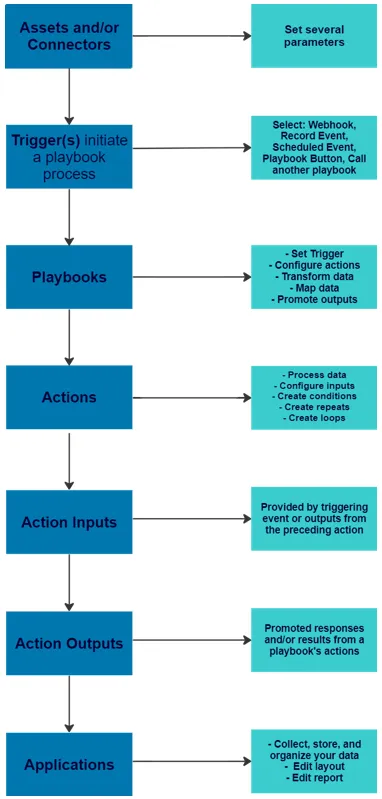
The following playbook architecture is for a single playbook, but provides a high-level understanding of the playbook set up and logic flow.
Playbook Page
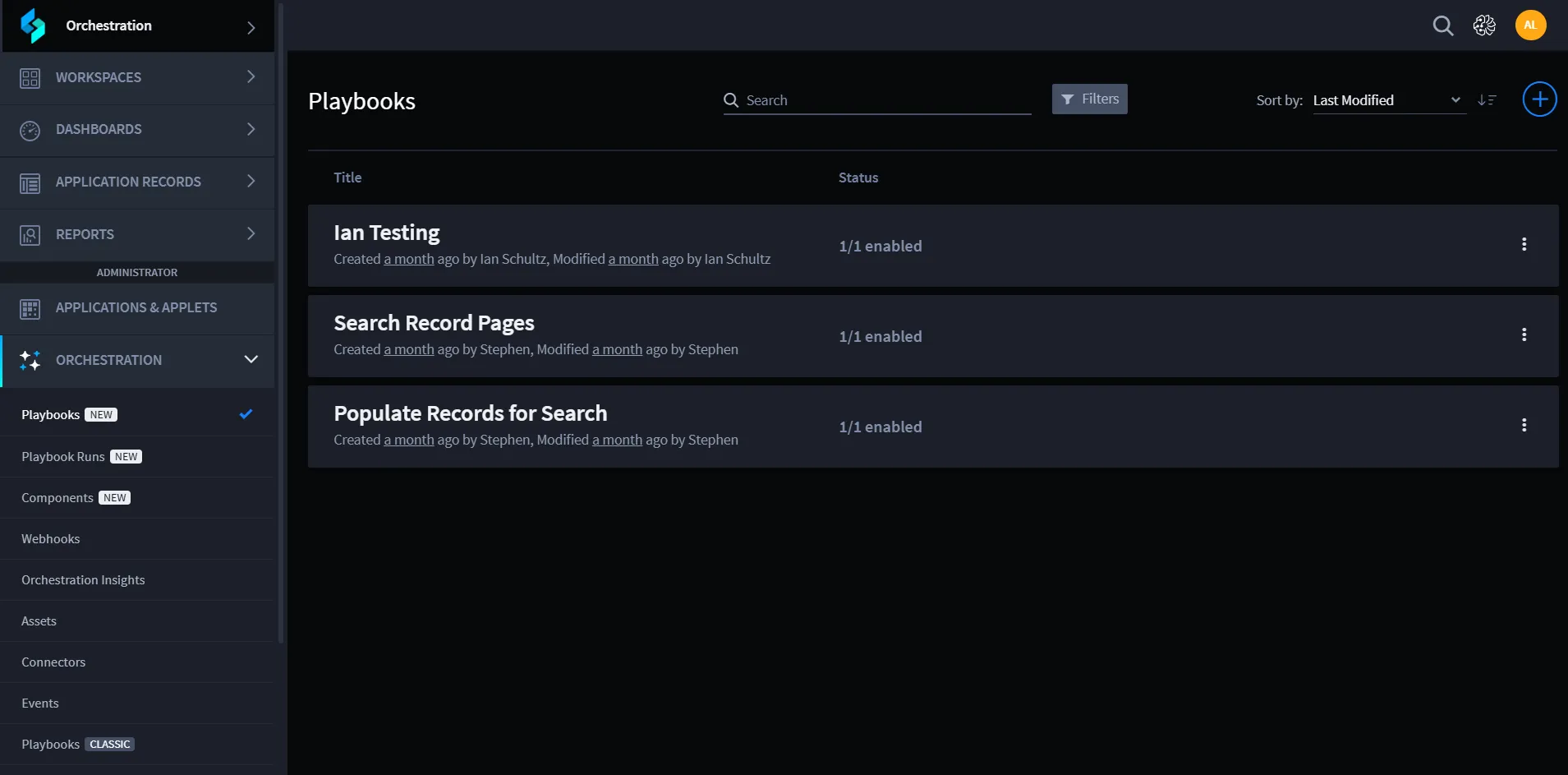
Component | Description |
|---|---|
PLAYBOOKS | Displays the number of current playbooks. Click to navigate to the Playbooks home page. |
CONNECTORS | Displays the number of connectors installed. Click to navigate to the Connectors home page. |
WEBHOOKS | Displays the number of webhooks installed. Click to navigate to the Webhooks home page. |
ASSETS | Displays the number of assets configured. Click to navigate to the Assets home page. |
Filter by name | A search field that allows you to find existing playbook names. |
View Mode Toggles | Switch the playbooks view to card or list mode. |
Create a new playbook | Click the Plus icon to create a new playbook. |