Connectors
Term | Definition | Characteristics |
|---|---|---|
Connectors |
Connectors are distributable packages that provide simplistic integration functionality for an application/service and connect to third-party tools. | You can install defined capabilities from third-party services/platforms for use in playbooks, and then use input/output configuration with APIs without using code. |
Homepage
To access playbooks, follow these steps:
- Log in to Turbine.
- From the left-hand navigation pane, click ORCHESTRATION and click Connectors.
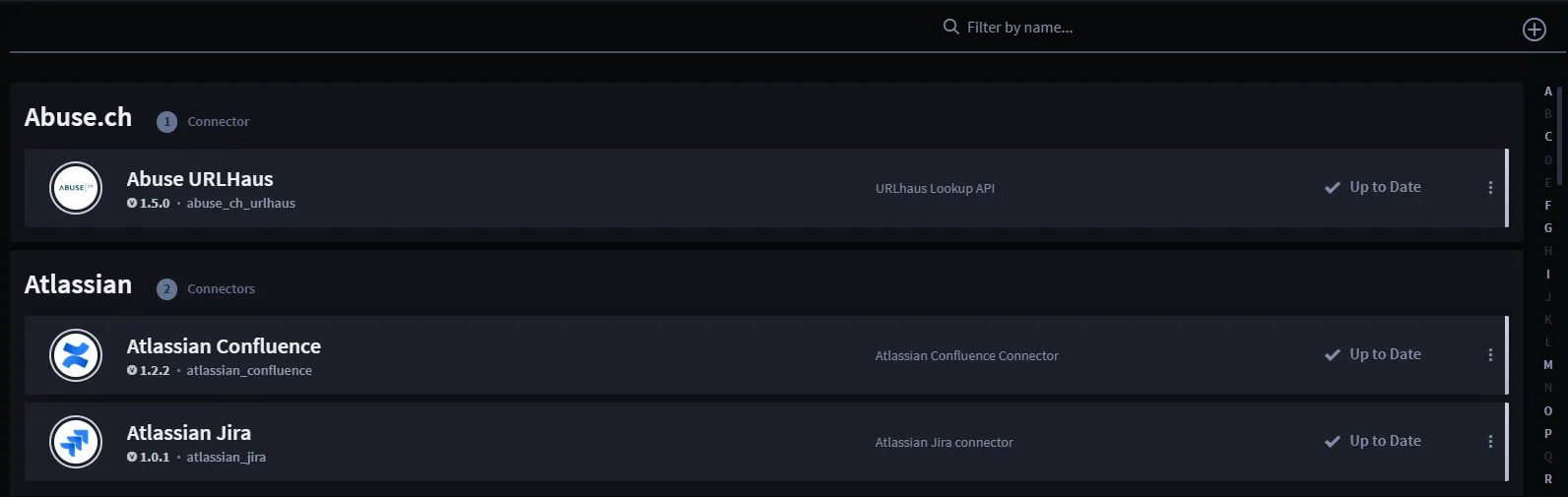
From the Connectors homepage, a list of existing connectors and their associated actions show sorted alphabetically. You can use the features listed in the table to navigate the assets homepage for a faster and easier experience.
Feature | Function |
|---|---|
Filter by name | Use to filter by asset name |
Plus icon | Find a connector or Upload a connector |
Ellipsis icon | Click to delete a connector |
Also, each connector shows if there is an update available or if it's up to date. If there is an update, click the Update Available hyperlink, then the Swimlane Content opens for that connector. Click the Update button to download.
Find a Connector
To see all available connectors from the Swimlane Content:
- Click the plus icon.
- Click Find a connector.
The Swimlane Content Explore Connectors window opens.
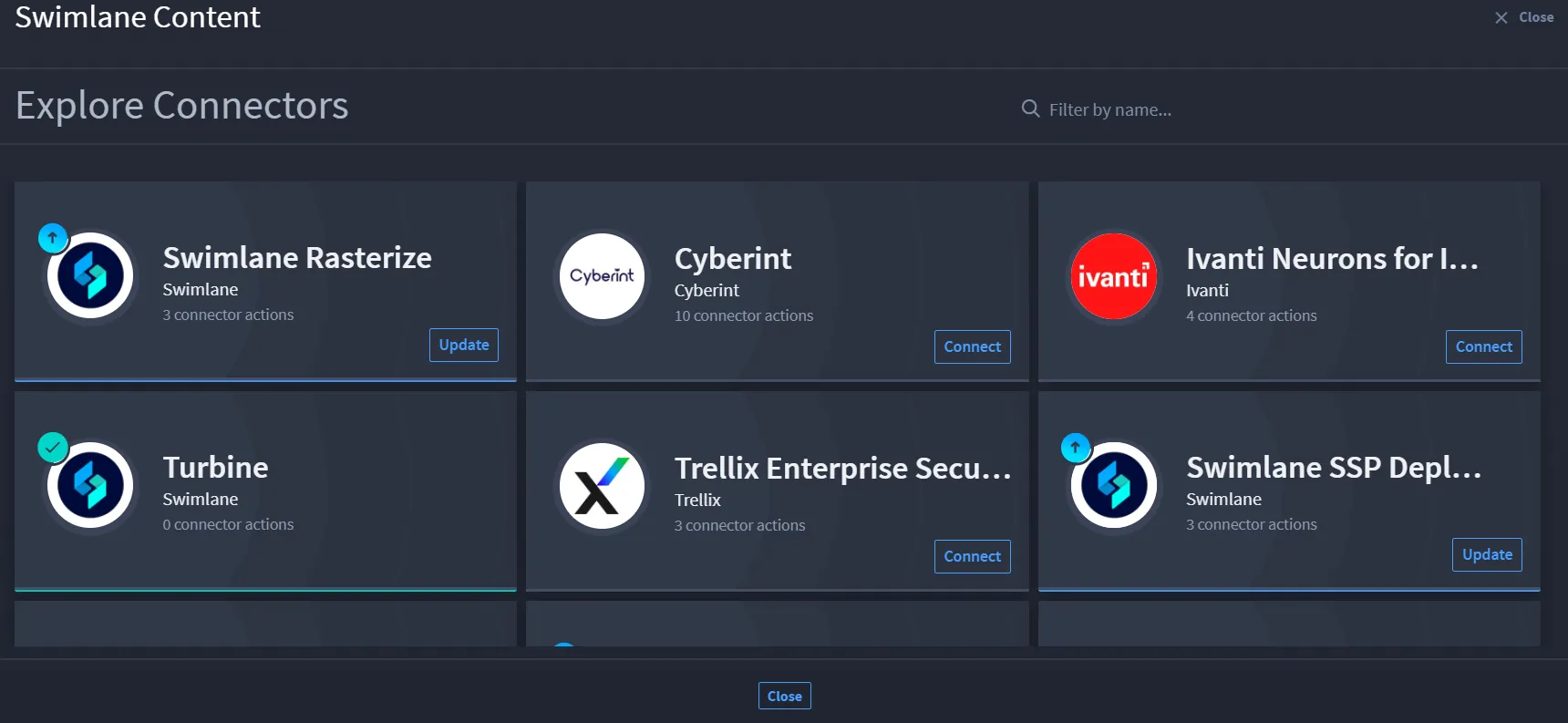
- Choose your desired connector and click Connect.
You should receive a confirmation dialog, and now that connector is available on the Connectors homepage and in the Add panel in your playbook canvas.
Upload a Connector
Need to add a connector to Turbine? You can also do this from the Connectors homepage.
- Click the plus icon.
- Click Upload a connector.
The Upload a Connector window opens.
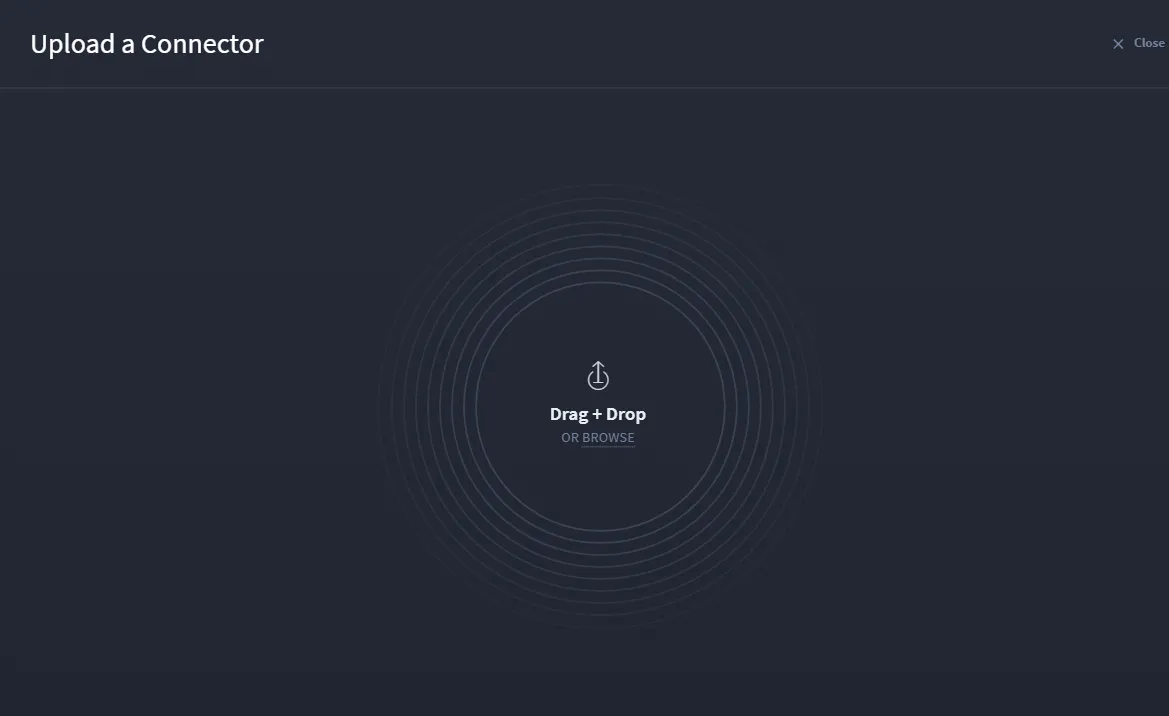
- Click BROWSE or click and drag a connector to the window.
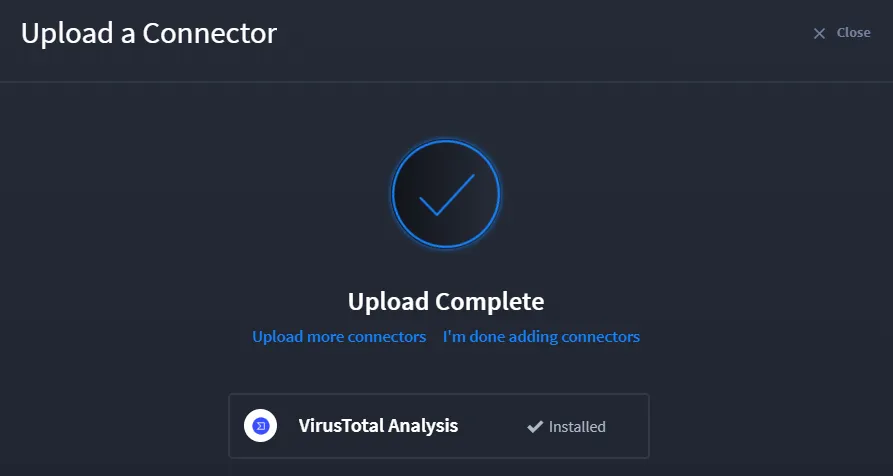
Now the connector is available from the Connectors homepage.
For more information about Connectors, see Connectors documentation.
To build a connector, see Swimlane Turbine SDK.
Continue to the next section for Event homepage information.