Create Custom Assets
2 min
Creating custom assets allows you to map static data and product-specific values that can be referenced across multiple playbooks and multiple actions.
To create assets:
- On ORCHESTRATION, click Assets.
- Click the plus icon to add and/or configure an asset.
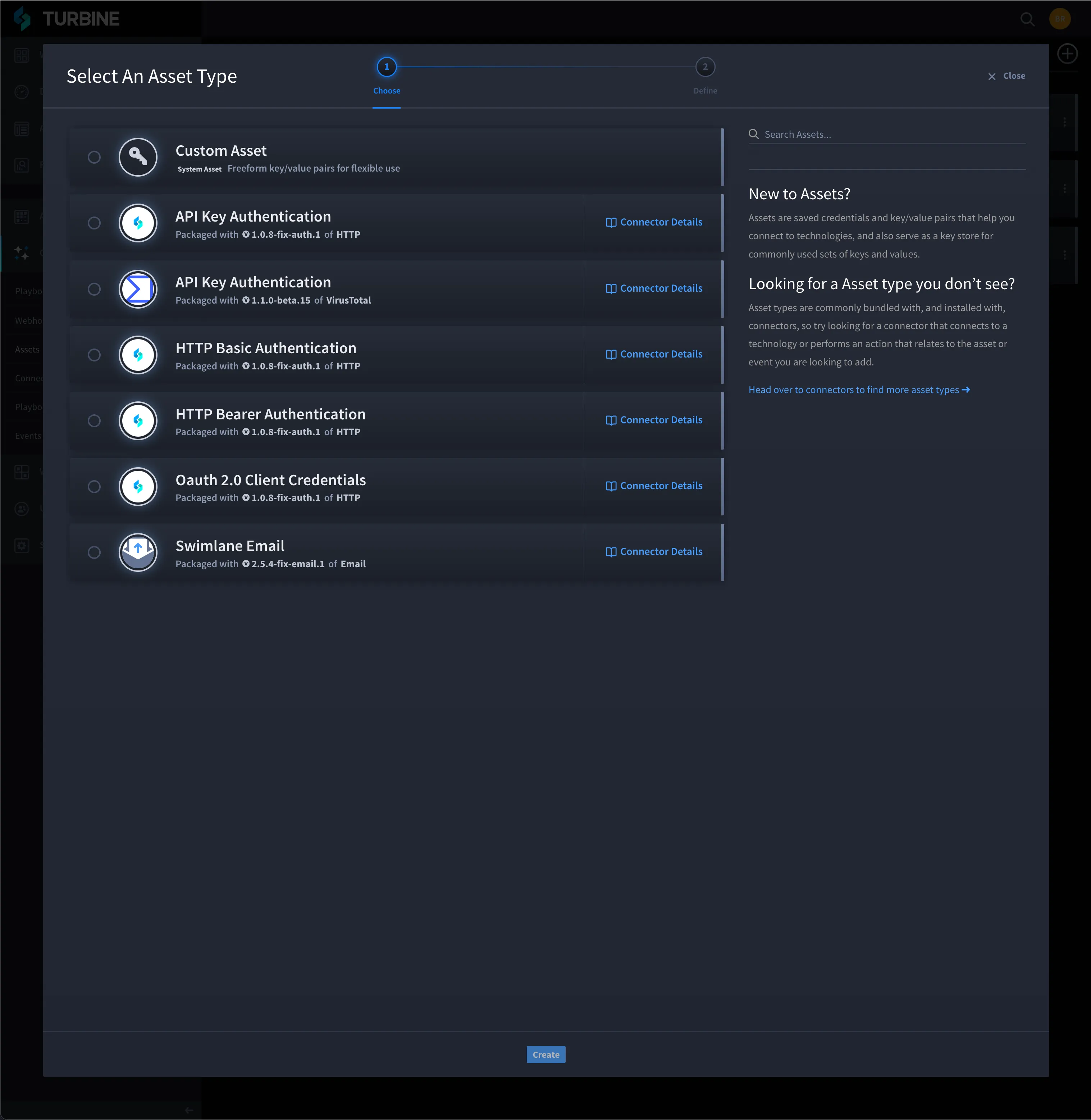
On Select An Asset Type, click the radio button next to the Custom Asset connector.
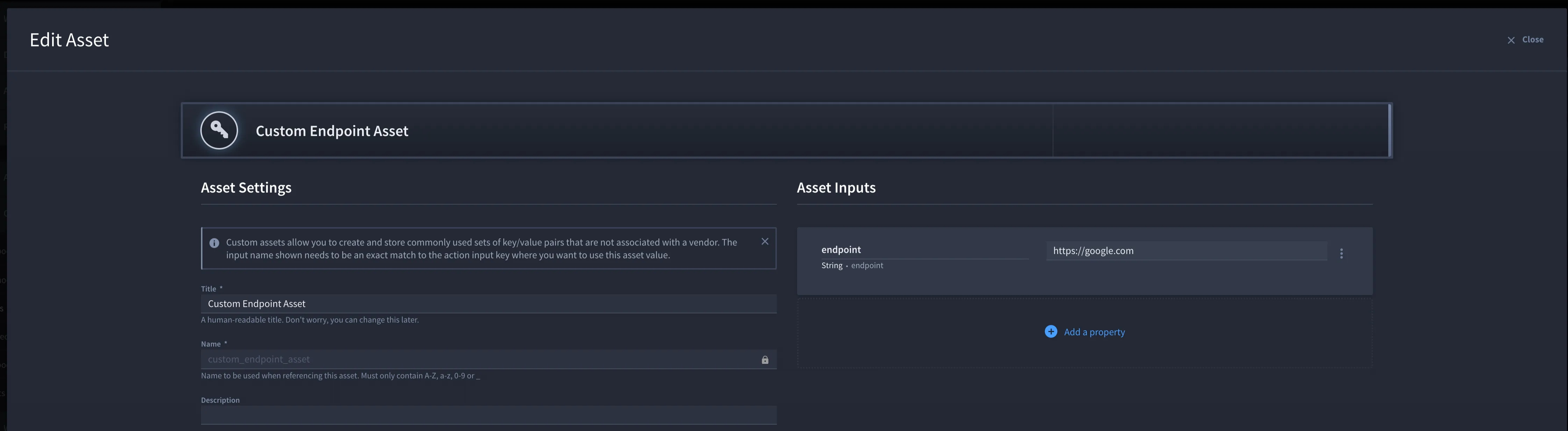
- On Edit Asset, update the required fields with custom data: Title and Name.
Click Add a property to add asset inputs.
- Click Save.
Apply Custom Assets in Playbooks
- You can apply a custom asset to a playbook input. Before adding a custom asset, review Create Actions and Configure Inputs.
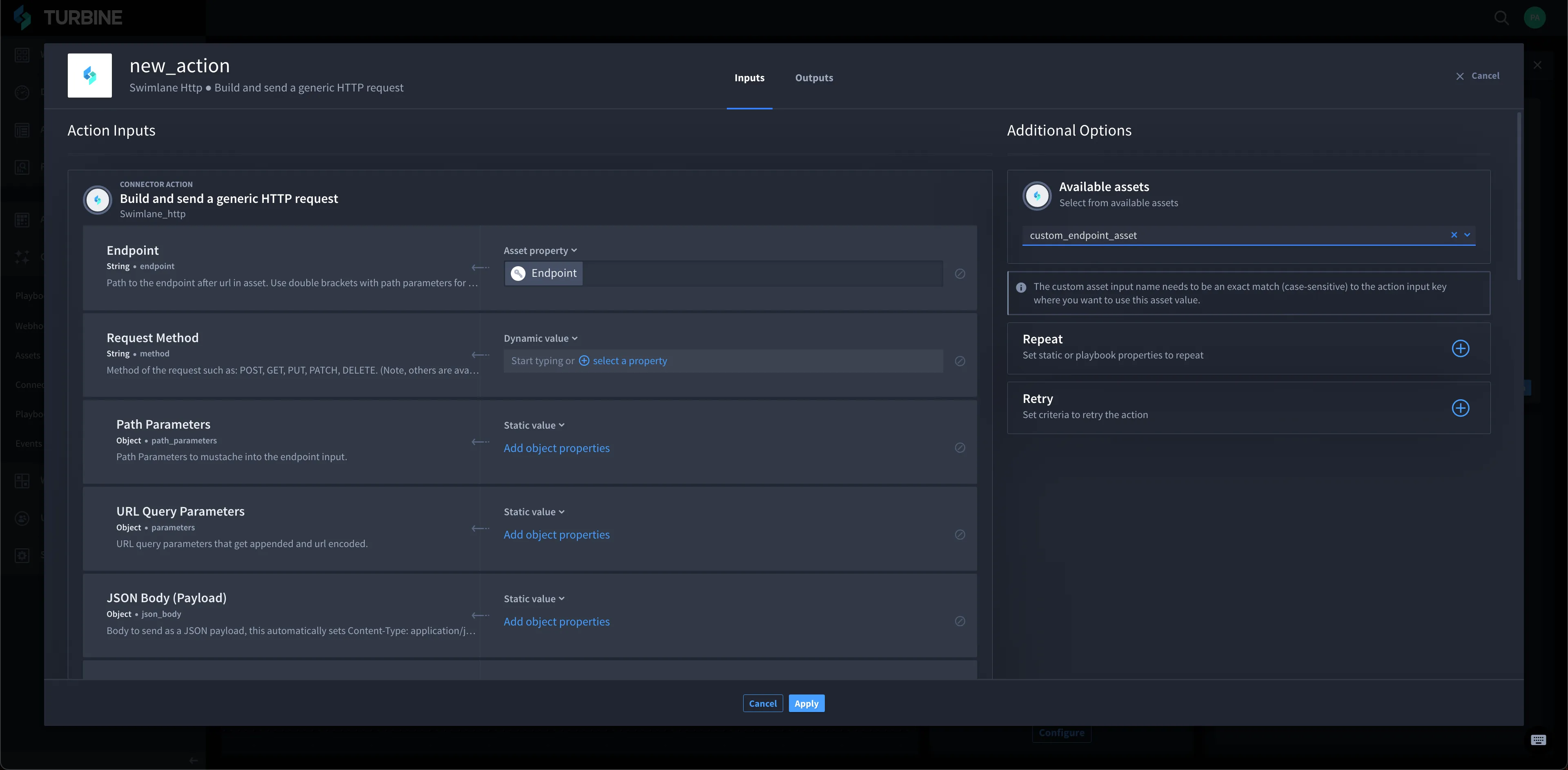
- From Action Inputs, click the Available assets drop-down menu to view all available assets.
- Select the custom asset.
To apply a custom asset to the playbook, click the Asset property drop-down menu and select the custom asset.
- Click Save.