Nested Playbooks
You can nest playbooks into other playbooks as actions. Refer to ActionsActions for instructions to add an action to a playbook.
Terms
Term | Meaning |
|---|---|
Parent playbook | A playbook that calls another playbook. |
Nested playbook | A playbook that calls another playbook as an action. |
When nesting a playbook into a parent playbook, the nested playbook's inputs and outputs are available to map to and use in the parent playbook.
To nest a playbook to a new/current playbook:
- Navigate to the Playbooks home page, and then open a playbook (or create/upload a playbook).
- Click Add an action.
- From ACTION, click the Action drop-down menu, and select an existing playbook.
- From ACTION, add a title.
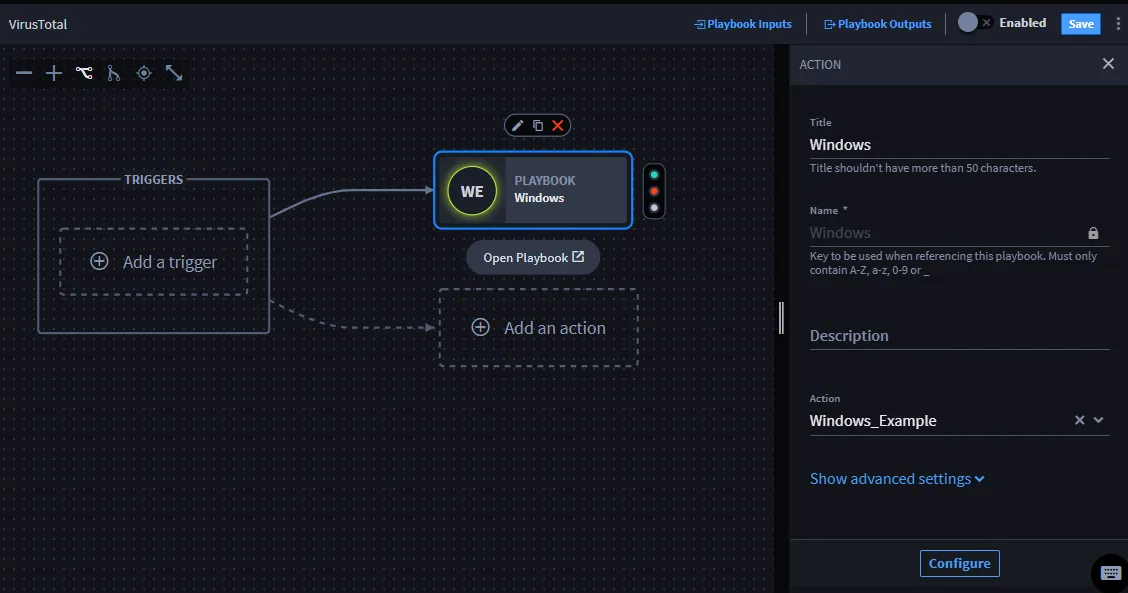
- Click Configure to map inputs and outputs.
- If the nested playbook has inputs and/or outputs, they are available on Action Inputs.
- Review Action Outputs.
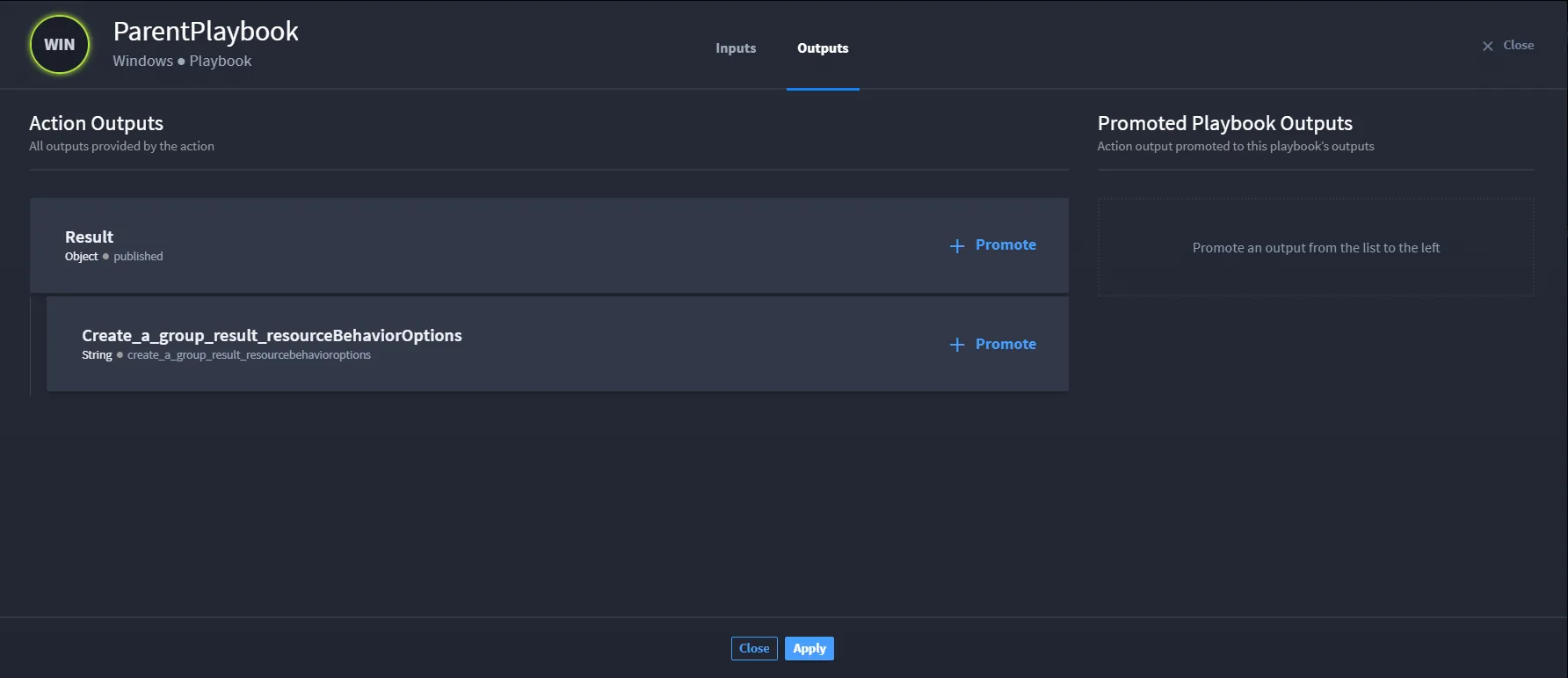
- When finished, click Apply.
You have successfully nested a playbook to your current playbook.
View Parent Playbooks as Triggers in Nested Playbooks
You do not need to select a trigger before adding and configuring actions and conditions.
A trigger automates actions based on the criteria set within a playbook. Playbooks can also be triggers. There are parent and nested playbooks.
When an action is configured to call a nested playbook, the nested playbook will show that parent playbook as a trigger.
If you have more than one playbook as a trigger, click the desired playbook trigger, which will be visible with a blue highlight box around the trigger.
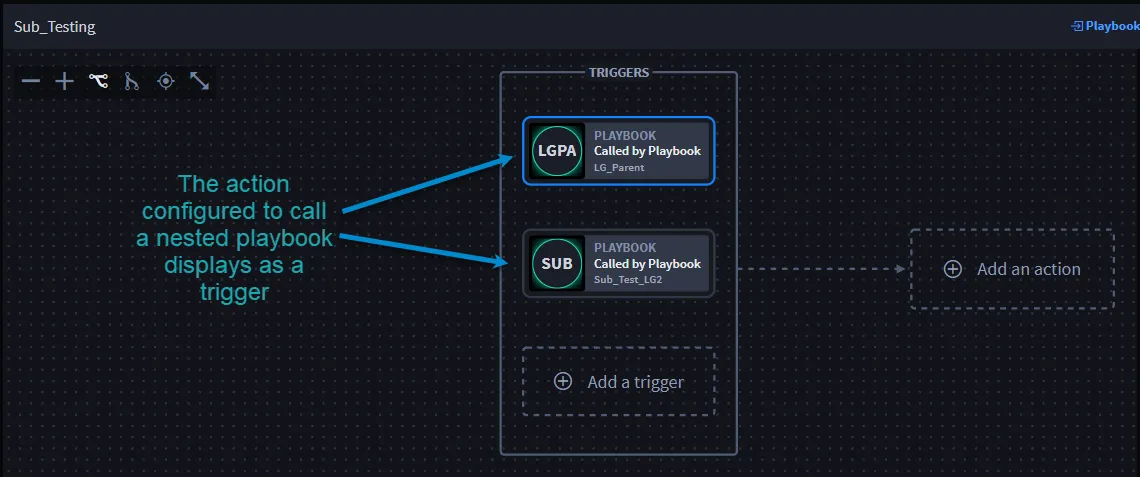
The TRIGGER panel displays To view the list of parent playbooks and triggers:
- From TRIGGER, click Open Parent Playbook.
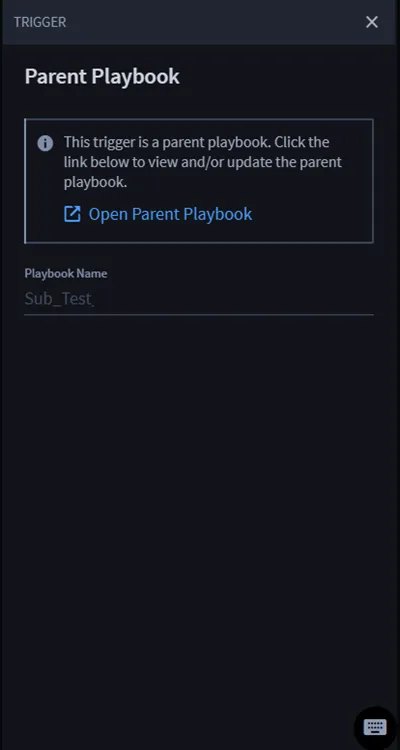
- The parent playbooks and triggers open in a new tab. From here, view and/or make updates to the parent playbooks.
Important! When calling nested playbooks, Turbine's default configuration is for a maximum depth of 10 playbook levels.