Map Playbook Outputs to Applications
When you map playbook outputs to an application, you allow the playbook runs to update records for various things, such as performing manual security actions, collecting information for charts and dashboards, and increasing visibility for auditing.
Map Playbook Outputs to Applications
Create a new playbook or upload an existing playbook, then follow the steps below:
- Click Playbook Outputs.
- On Playbook Outputs, click the Application Mapping tab.
- To map the promoted playbook outputs to an application, click Select Existing Application.
On Select an Application, click the application to which you want to map the playbook outputs and click Confirm.
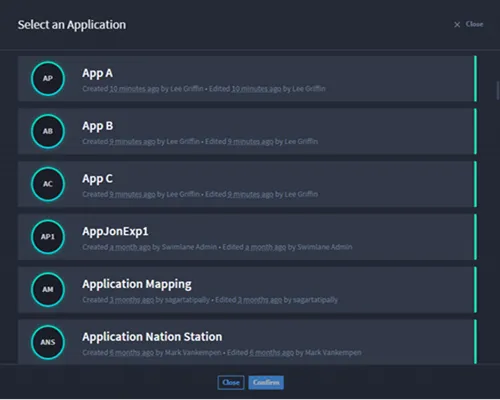
Update or Create New Records
Select how you want to handle distribution of the playbook outputs to the application's records.
- Click Update or create new records.
- Choose one of the following:
- To create a new record with the playbook outputs, click Create new records.
- To create or update a record with the playbook outputs, click Update or create new records.
In the Key Field drop-down menu, select the field that uniquely identifies each record.
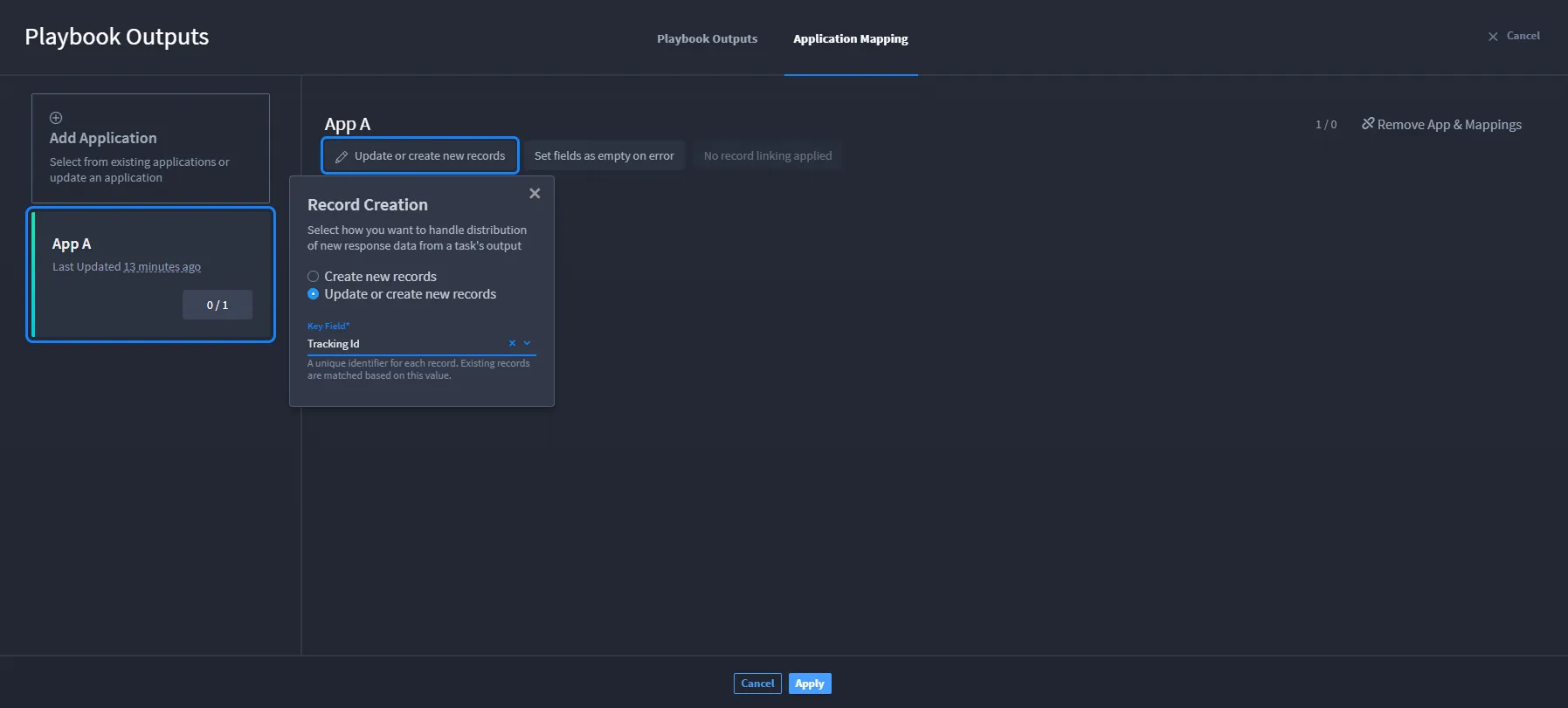
- When finished, click Apply.
- To remove any application mappings, click Remove App & Mappings.
Set Up Error Handling
Select how you want to handle errors encountered during the insertion process.
- Choose an error handling option:
- Set fields as empty on error
- Skip record on error
- Stop record creation on error
- When finished, click Apply.
Record Linking
There are three possible scenarios that can occur with record linking when mapping playbook outputs to an application.
See Record Use CasesRecord Use Cases for details.