Playbook File Handling
2 min
You can use a connector to handle files in playbooks by using a file-handling connector in an action. For example, you can use a connector that ingests an email that contains attachments.
The file is an attachment from an action output.
There is a limit of 500MiB per file.
Use Files with a File-Handling Connector
To add files with a file-handling connector:
- Open a playbook (or create/upload a playbook).
- Click Add an action.
- From ACTION, add a title.
From the Action drop-down menu, select a connector that has the capability to handle files.
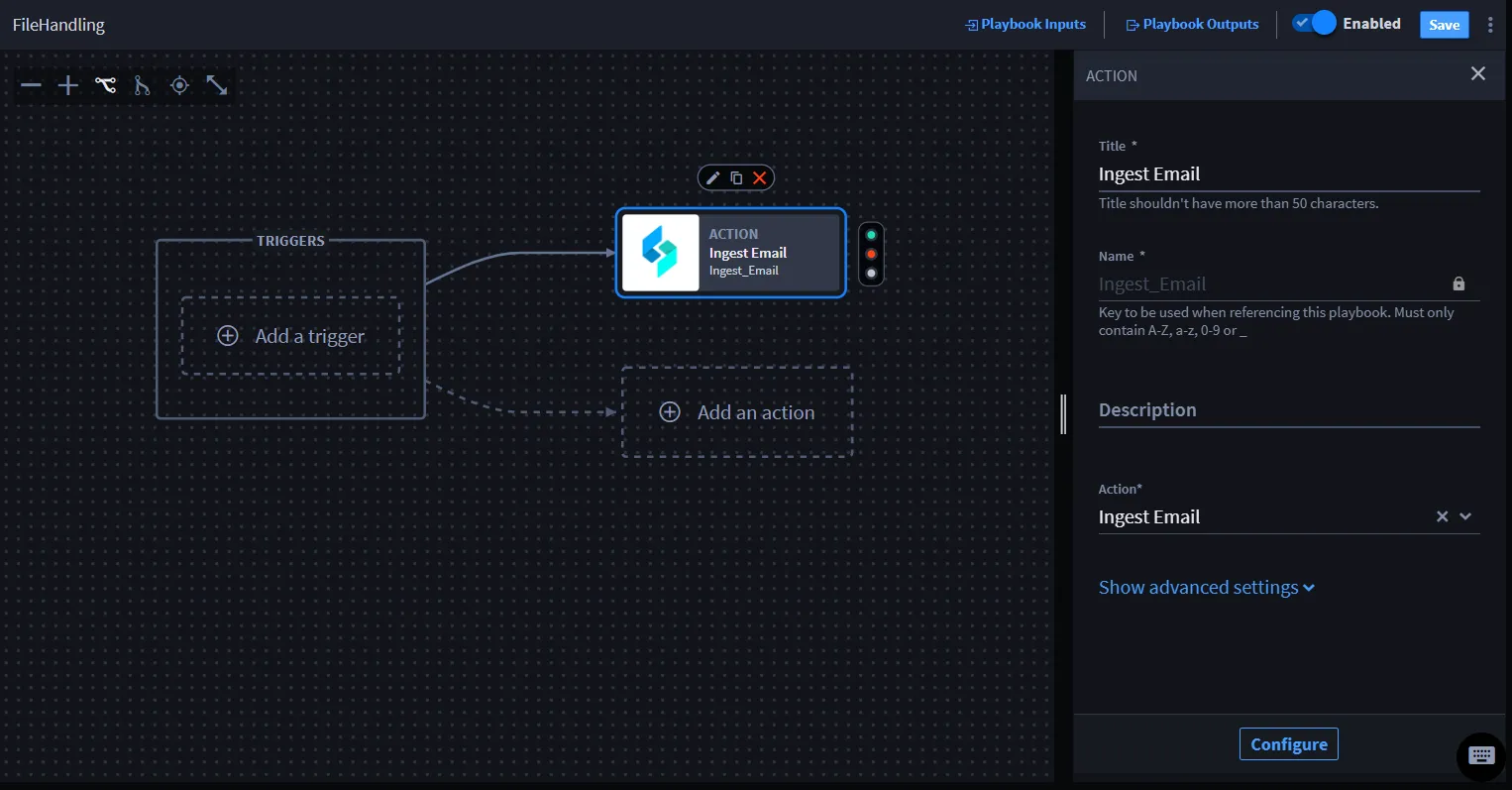
- Click Configure to map the property values.The action window displays with the Inputs and Outputs tabs.
- Click Outputs.For a playbook to pass a file as data, you need to add a file as an action output.
Click + Promote next to the attachments.
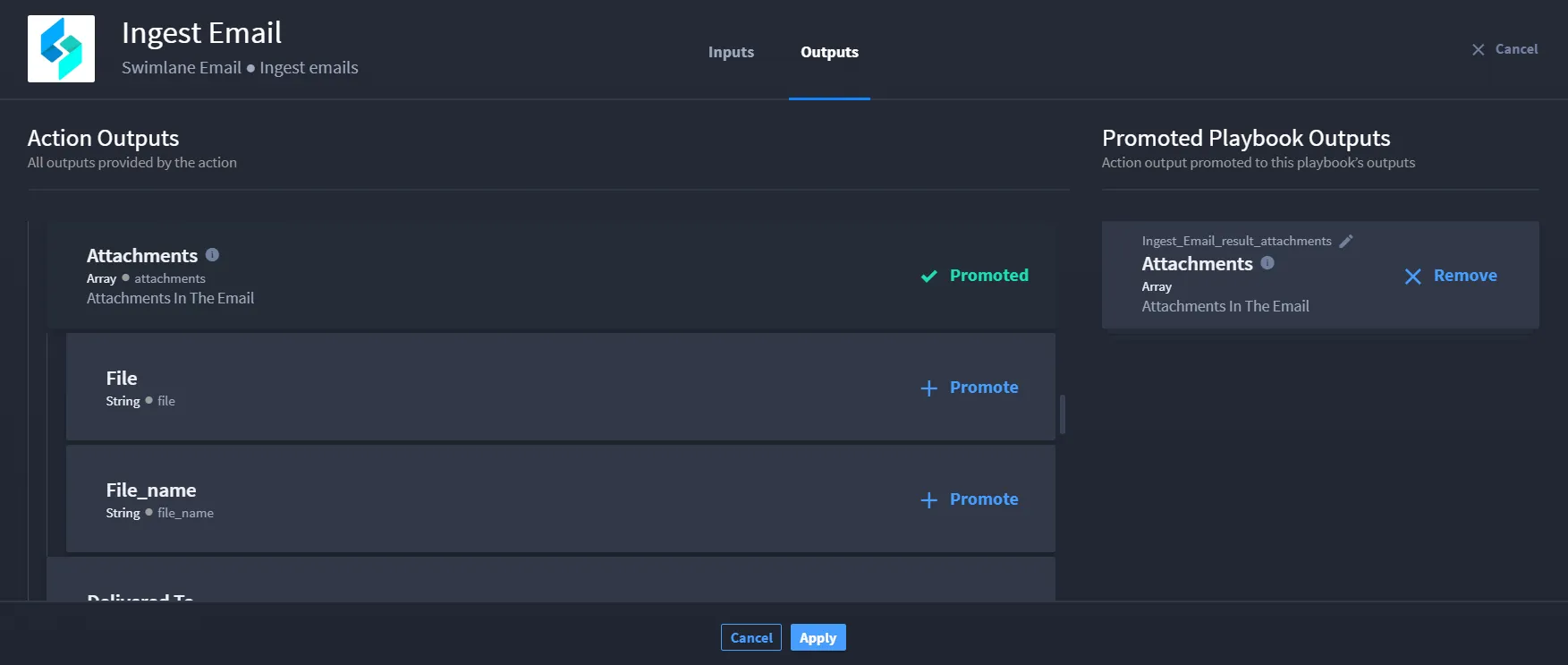
- Click Apply.
You have promoted the file to the playbook outputs and you can now apply them to an action or nested playbook.