Import Swimlane Solution Packages
You import Swimlane Solution Packages (SSPs, file extension .ssp) into a Swimlane Turbine system. The packages contain at least one playbook, application, or applet, along with all of the associated applications, assets, webhooks, reports, dashboards, and workspaces that form that solution.
You must maintain your connectors separately from SSPs. Connectors are not imported with SSPs.
The import process handles some issues for you, either stepping you through the process or informing you of actions to take once the import is finished. Also, the process alerts you of critical errors that you may need to resolve.
For your imported solution to be fully functional, you may need to address all of the issues and errors that Turbine points out during the import process.
Exporting and importing SSPs can only be done by Swimlane system administrators.
If you are importing an unzipped SSP, see Repackage an Unzipped SSP FileRepackage an Unzipped SSP File to ensure your SSP imports successfully.
To import SSPs:
From the Applications & Applets main page, click the plus icon, and then select Import or Export a package.
You are prompted to drag and drop your .ssp or .json file to the open dialog, or you can browse locally for the file and select it for import.
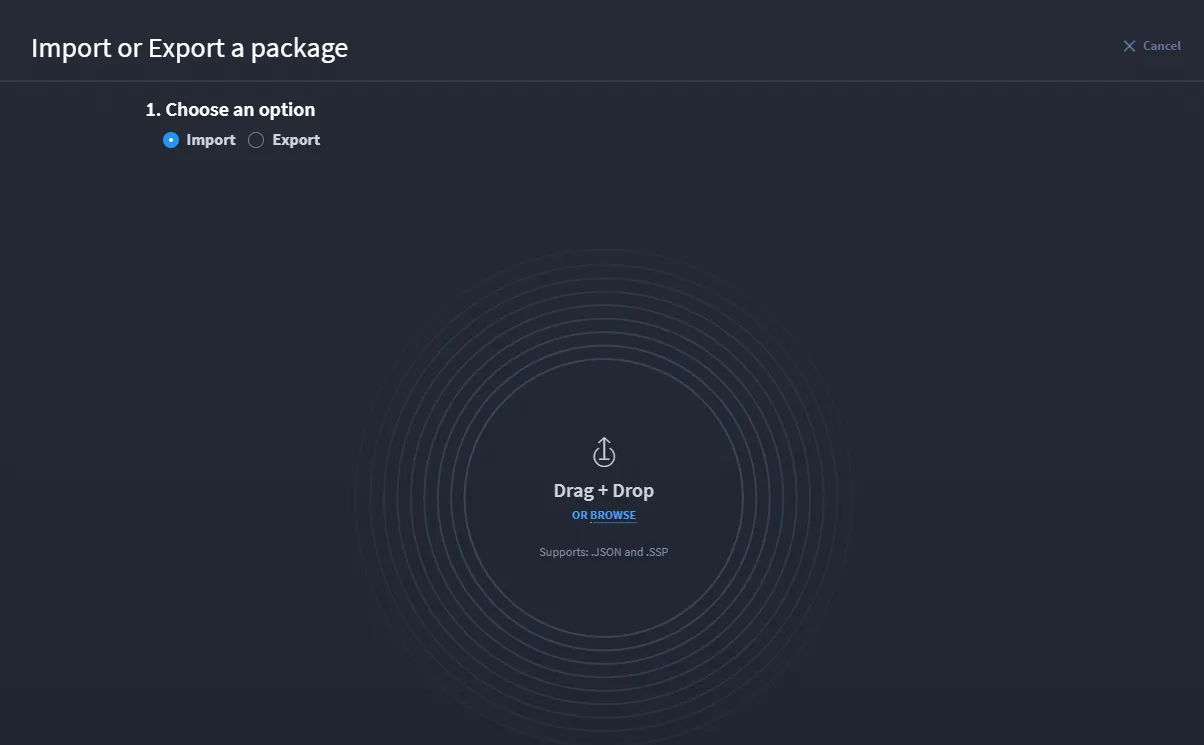
At this point, Turbine checks for errors and issues. If there are no issues, your import is successful.
After you upload the .ssp file, the Package Import window is displayed. By default, all components are selected. You can Deselect All and then select the list of components you want to import.
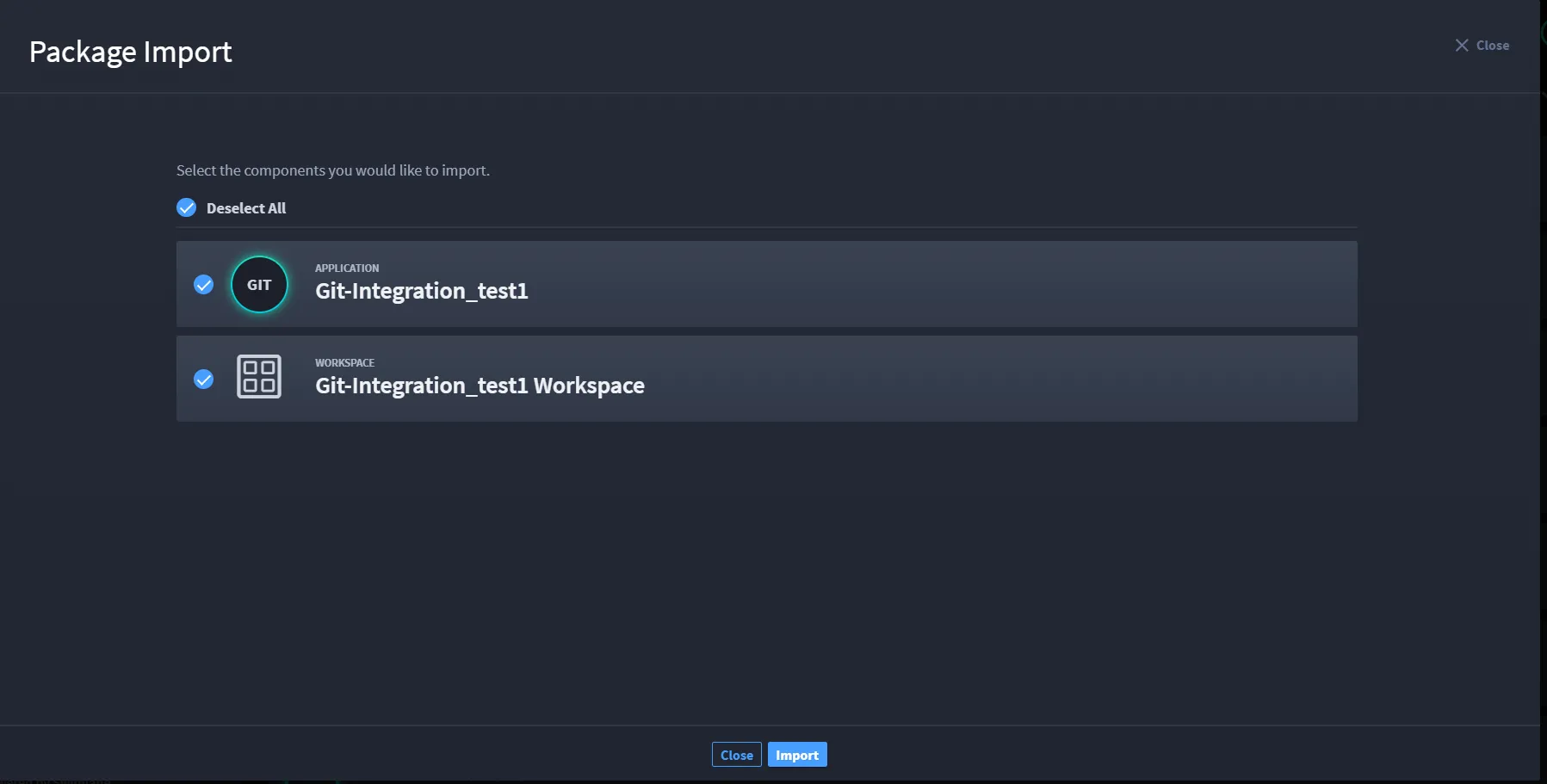
- Click Import to successfully import the package. Once the import is successful, you can Close, Go to Application, or Import More.
If a component of your package already exists in the environment, you are notified with a warning. You then decide whether to overwrite the existing component with the newer item, or to bypass the overwrite.
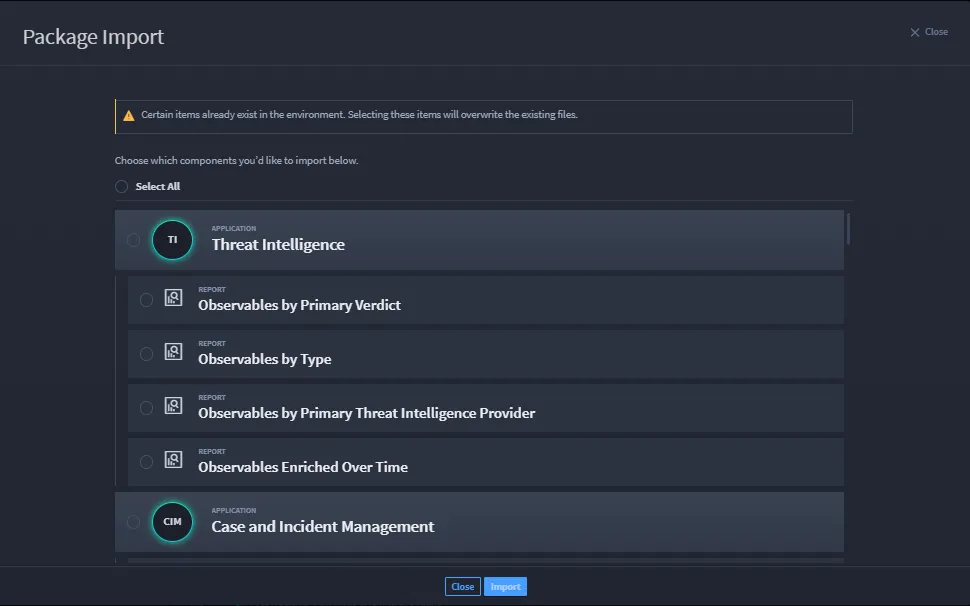
Select the components of the package that you want to import and/or overwrite.
If you decide to overwrite the existing components, you will see this dialog:
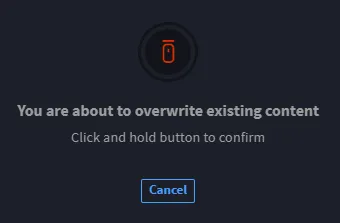
Press and hold the mouse button to complete the overwrite.
If you have nothing to overwrite, click Import.
On Import Success, you may receive potential issues to review. The Import Success window alerts you to the applications affected and provides information on the issues.
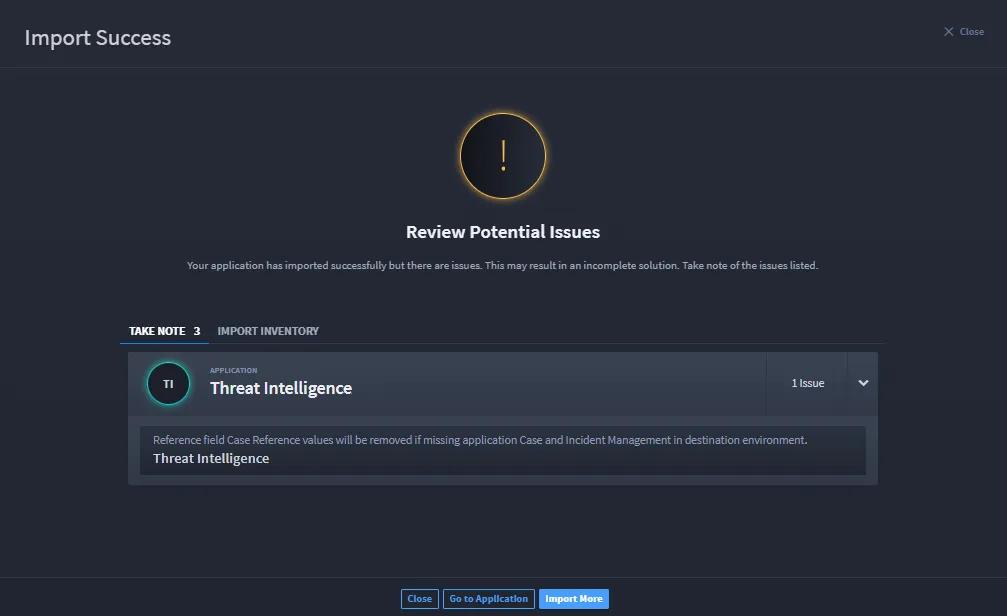
To address the issues, click Go to Application or click Import More to leave the issues unresolved.
On Import Error, you are notified of detected errors. You must address these errors to import successfully. The Import Error window alerts you to the applications affected and provides information on the import error.
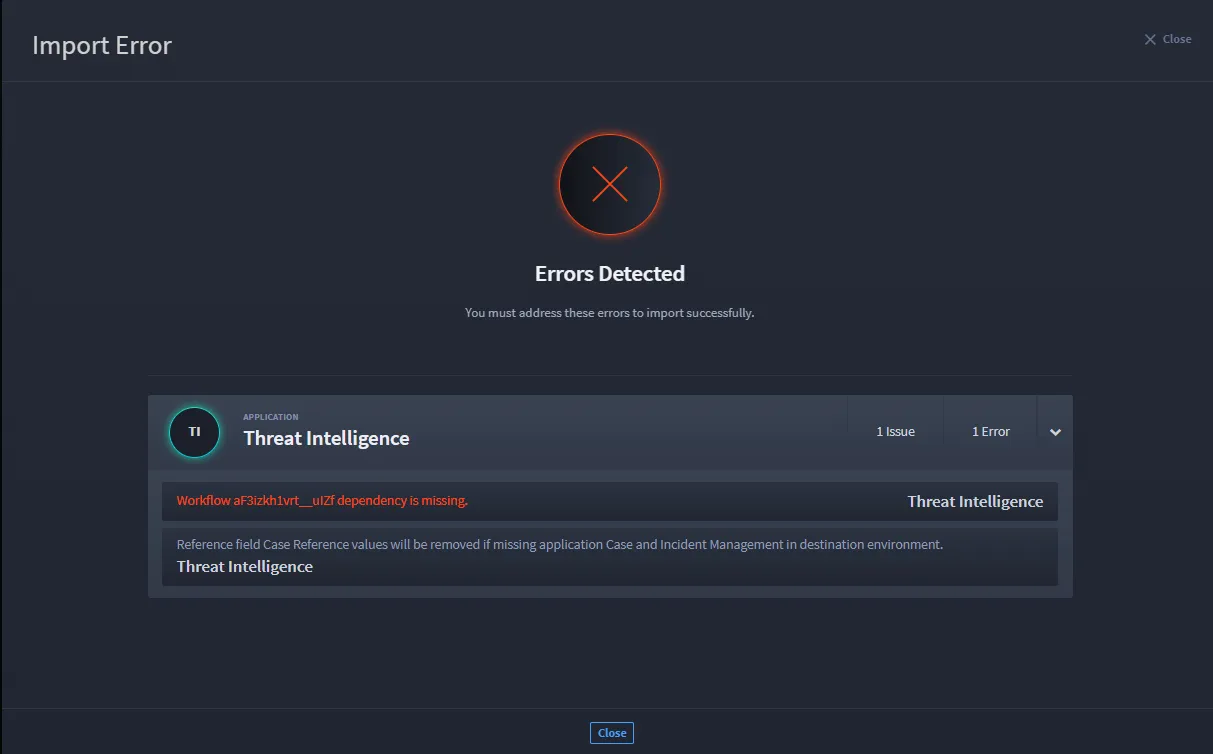
Playbooks and webhooks are disabled on import. You can enable them now.
- Click IMPORT INVENTORY to view a complete list of all the components of an SSP.
SSPs that pre-date Turbine version 11.4.0 will not have an import inventory. In addition, the components of these SSPs will not be selectable during import. SSPs that were exported from a version of Turbine pre-dating 11.6.0 will not have validation in their playbooks and will not be importable on versions of Turbine >= 11.6.0.
To have a full solution post-import, ensure that all issues are addressed.