Using the Swimlane Python Chatbot
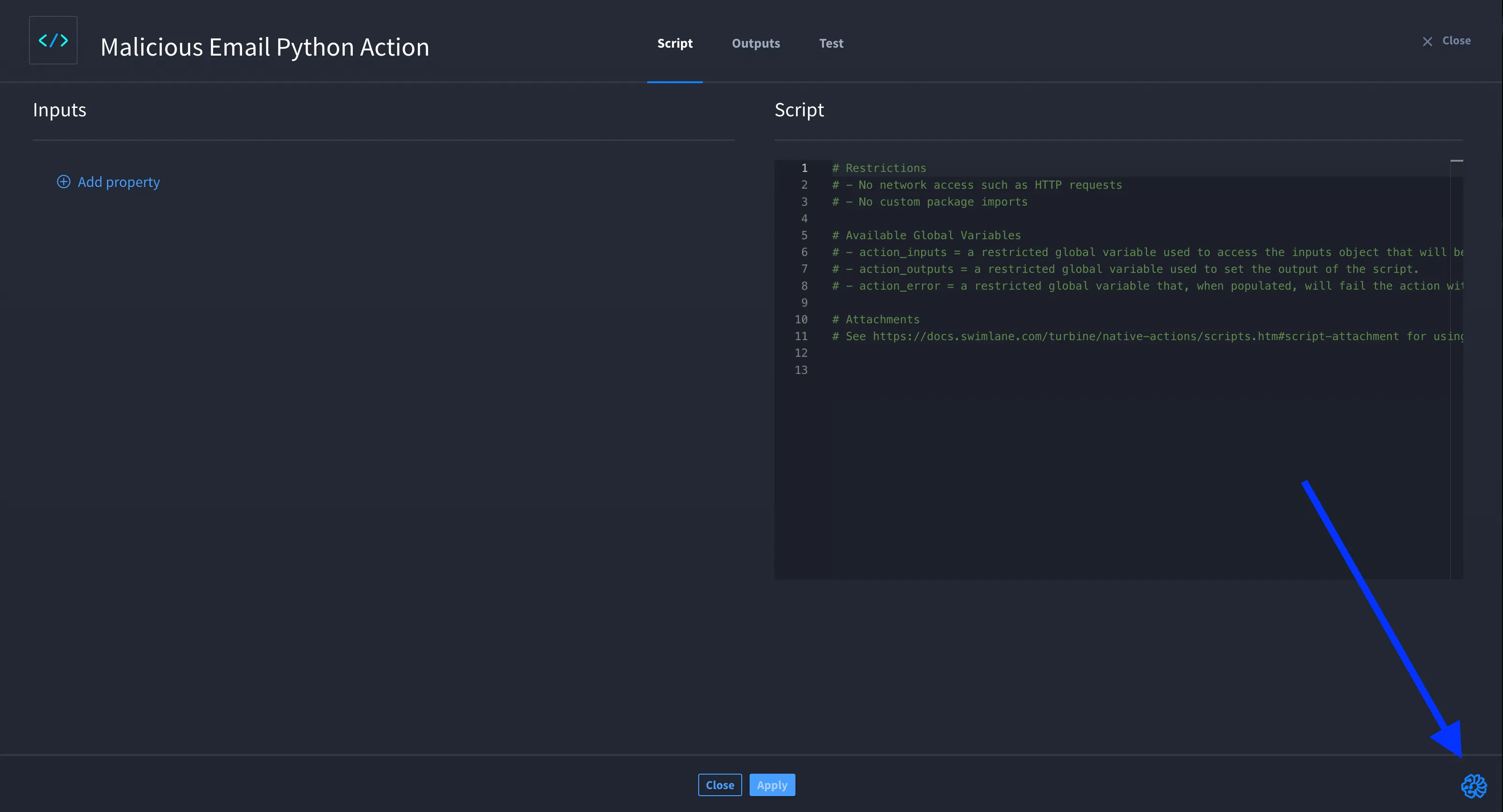
When configuring a Script native action, you’ll notice an icon in the lower-right corner of your browser window. Selecting the Script native action makes the Swimlane Hero AI Python Chatbot available to assist you with Python scripting.
Think of it as your Python scripting assistant. It can help you generate Python code for transformation logic, filtering, extraction, or any other function you need within the Script action.
Getting Started with the Python Chatbot
Click the chatbot icon to open a new chat. The first time you ask a question, the chatbot will prompt you to acknowledge that your organization has accepted the Swimlane Terms and Conditions. You can click Swimlane Terms and Conditions to review them. Once you click Acknowledge, the chatbot will be ready to assist you.
Now you can begin formulating Python scripts!
Capabilities of the Python Chatbot
The goal of the Swimlane Python Chatbot is to help you craft Python scripts that operate on JSON objects from the Script action inputs. The chatbot can generate fully interoperable Python scripts that align with the conventions used in Swimlane. It will also help you refine your script as needed.
Example Scenario: Python Chatbot Query
In this example, Amir wants to generate Python code to filter, extract, or transform an input JSON object.
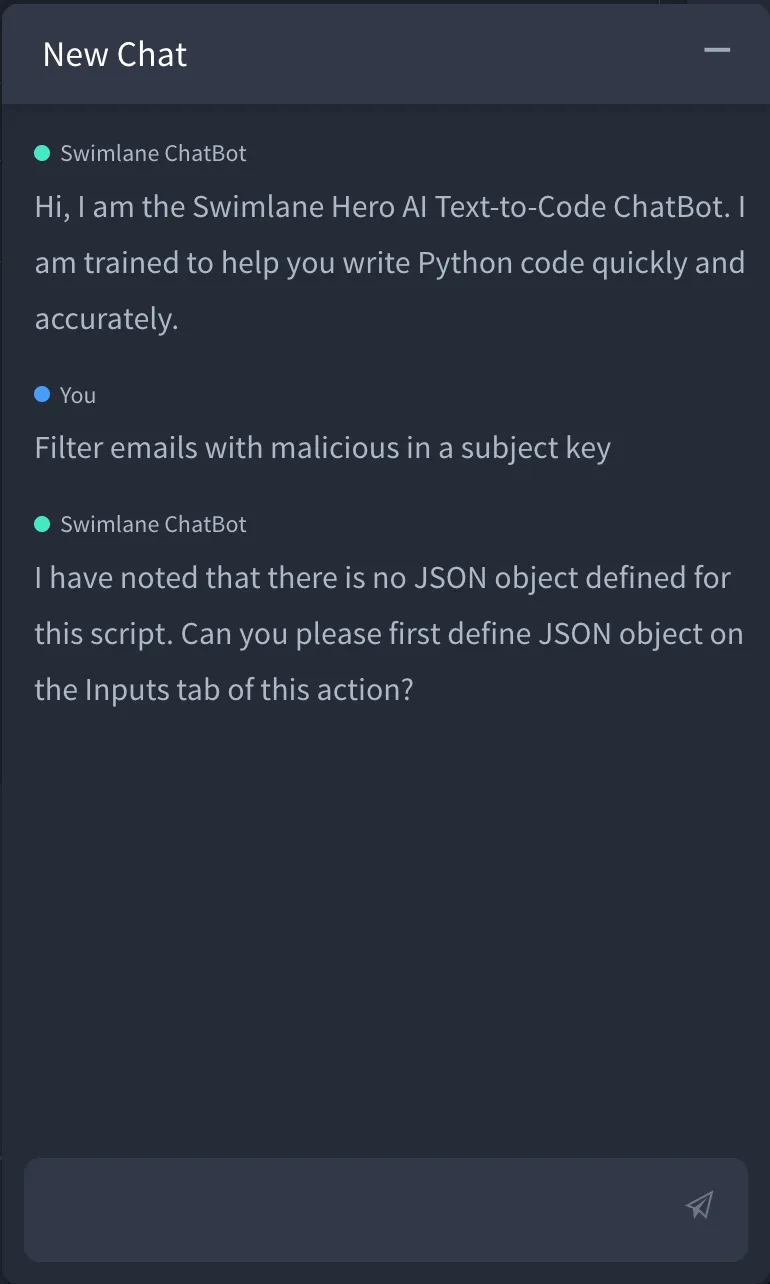
Amir opens the Swimlane Python Chatbot and types, "Filter emails with malicious in a subject key" and clicks Submit your question.
The chatbot notices that Amir has not yet defined the Script action’s inputs and prompts him to define a JSON object.
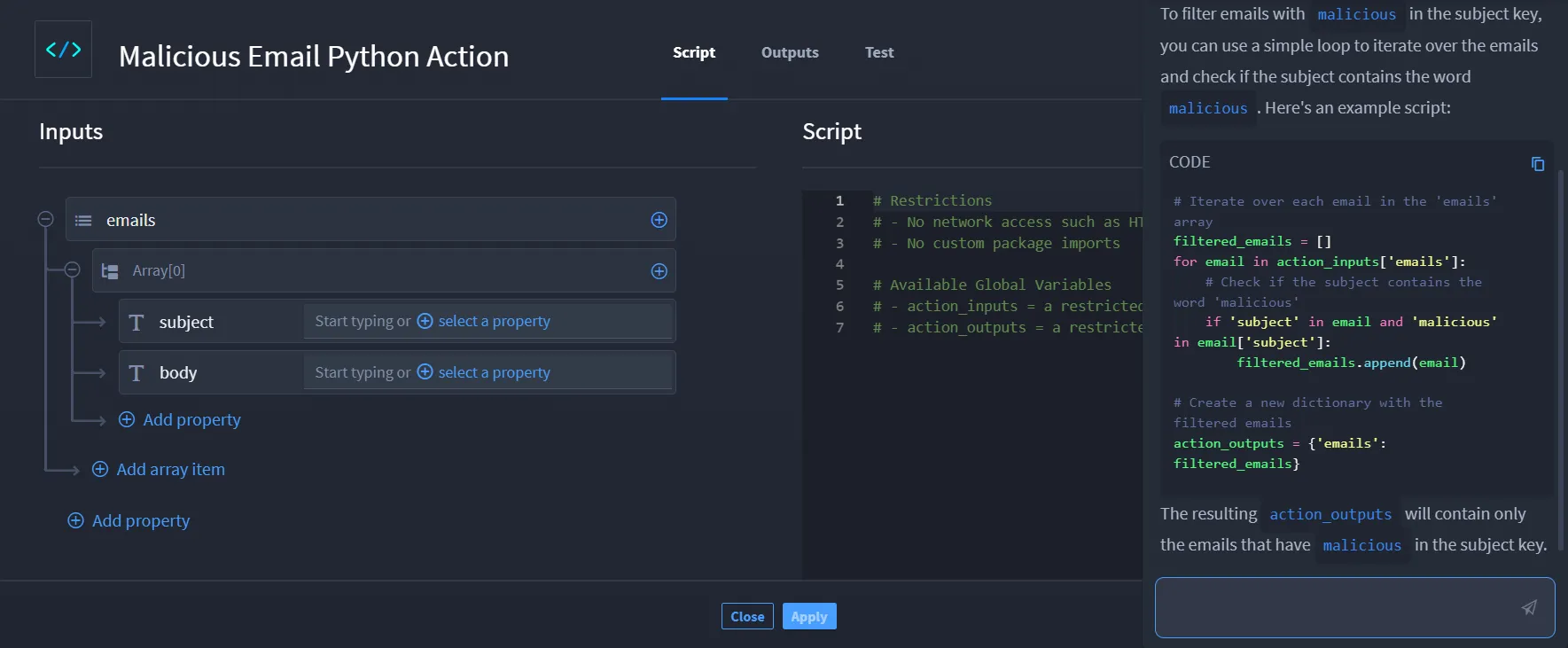
Amir sets up a JSON object for emails: {"subject": string, "body": string}, and then asks the chatbot the same question: "Filter emails with malicious in a subject key" and clicks Submit your question.
The chatbot responds with a Python script that picks up the JSON schema from the Script action inputs and passes them as context to Hero AI.
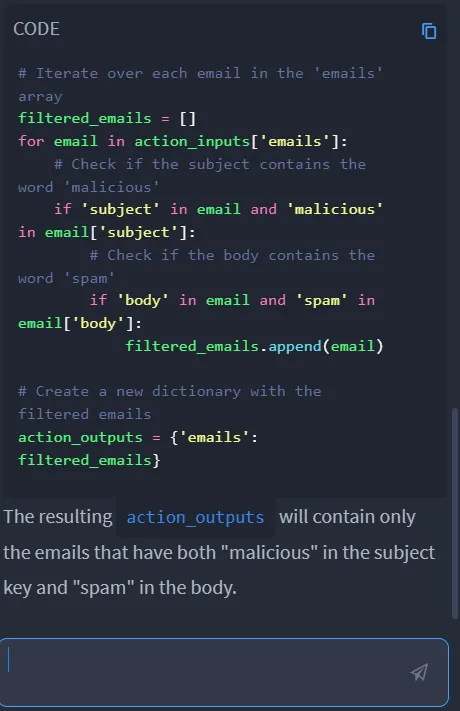
Amir reviews the script and refines it further by asking, "Additionally, filter the emails by body containing the word spam."
Amir then remembers that his email object also includes a malicious score. He updates the email object and asks the chatbot, "Instead of filtering the body, filter emails by malicious score higher than 95%."
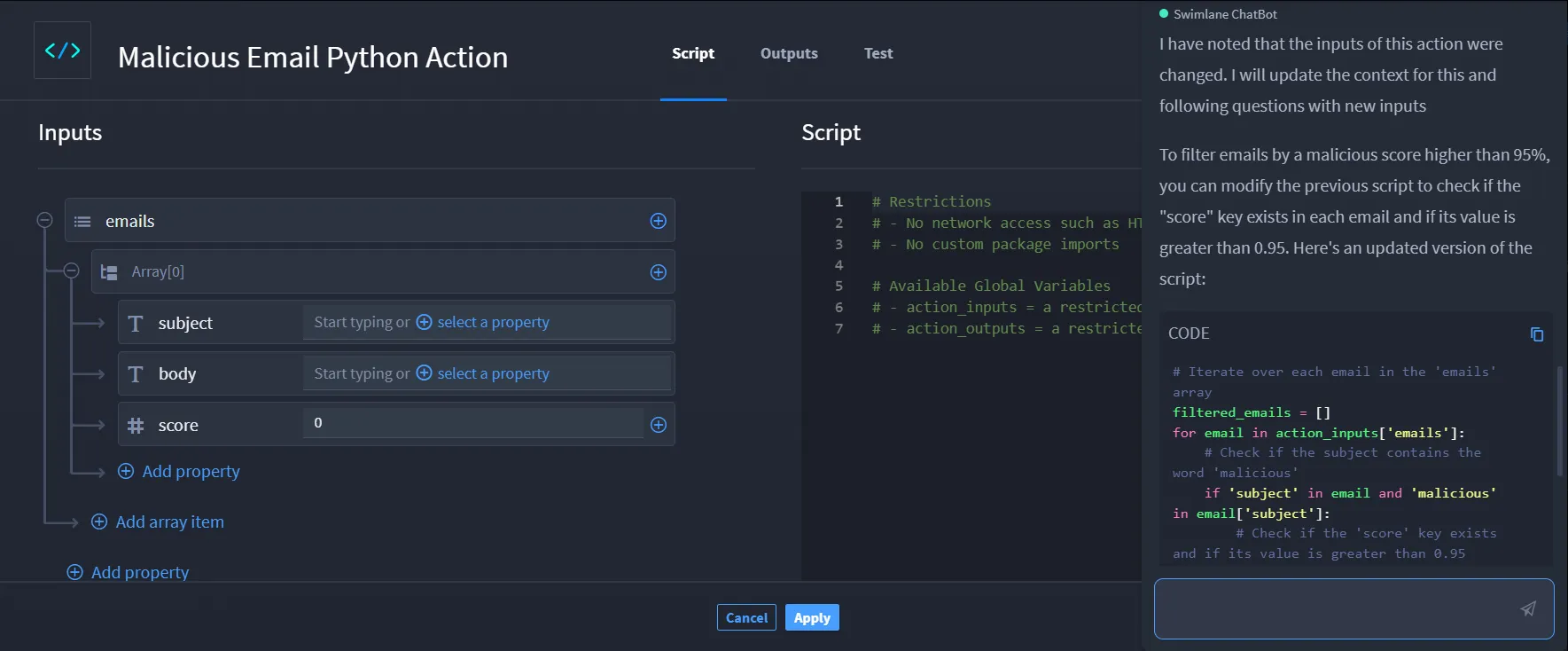
As you can see, the chatbot is interactive and allows Amir to refine his script as he progresses.