Retries
Playbooks allow you to set action conditions that automate retrying actions based on conditions, time limits, and retry count attempts. Retries allow you to set up the following criteria for an action:
- Interval
- Frequency
- Number of attempts/tries
After you set the criteria, you can manage the parameters of that retry by adding conditions. The retry condition settings are similar to how you Create Action Flows and ConditionsCreate Action Flows and Conditions.
Conditions are not required.
Apply Action Retries
To retry an action:
Add and configure an action.
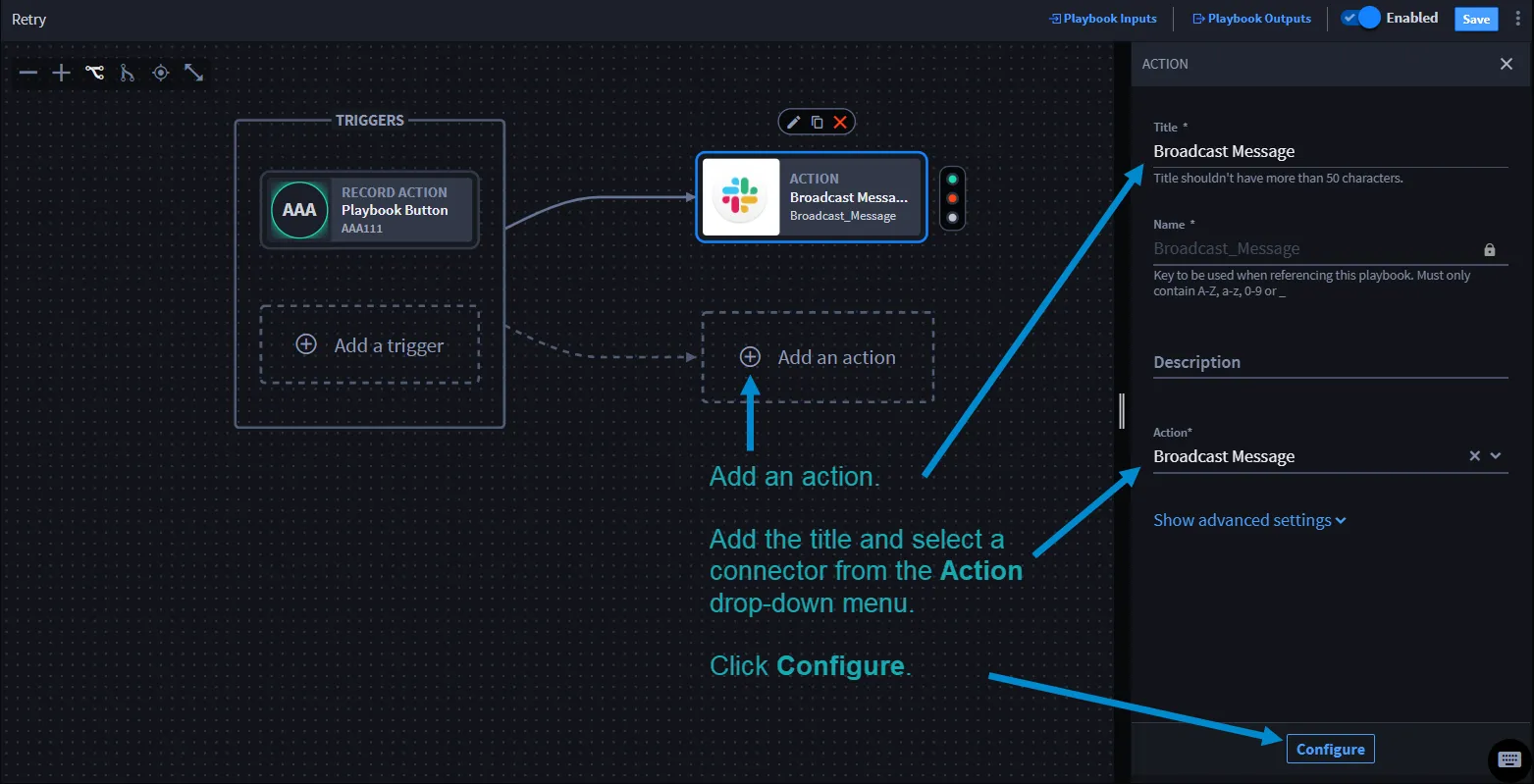
From ACTION, click Configure.
Here is where you will configure the action inputs, and then set up the action retry by entering appropriate data in the input fields to set your parameters.
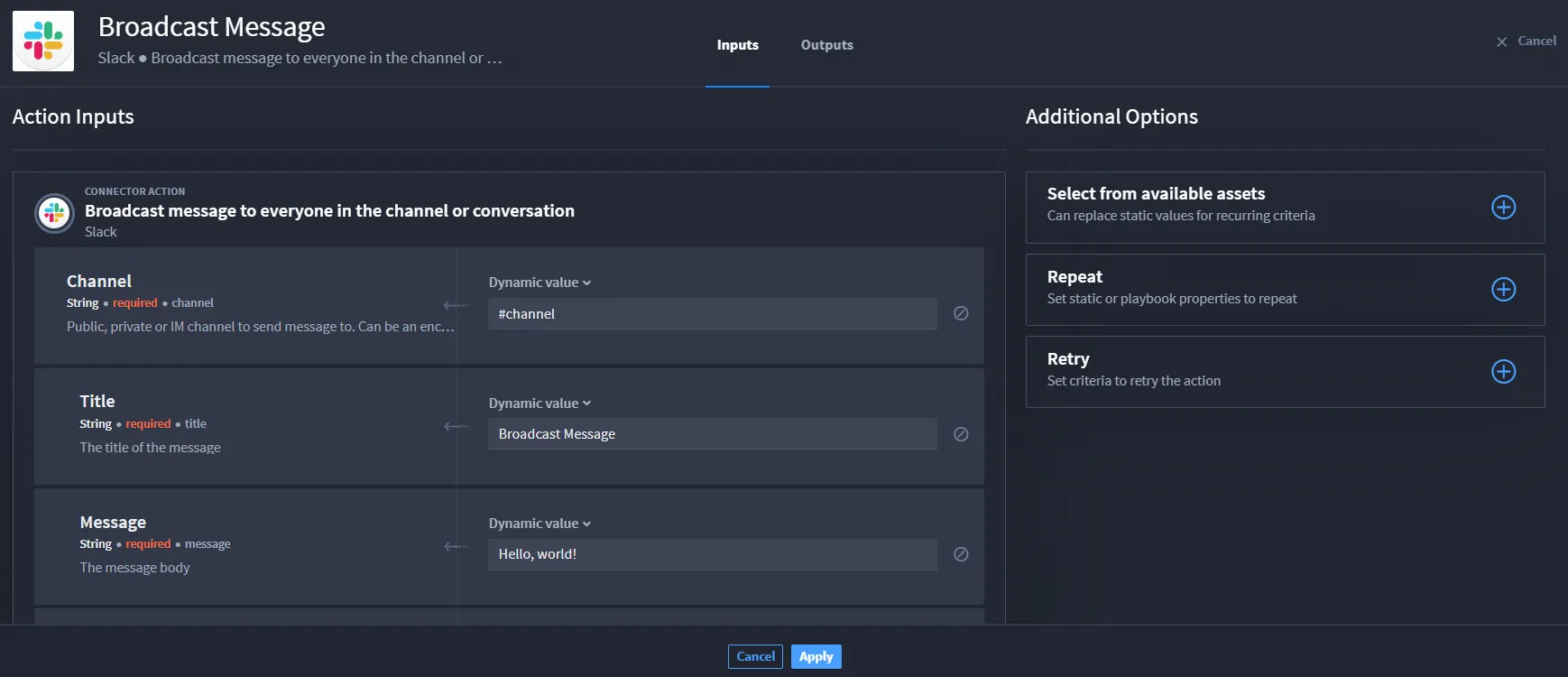
Next to Retry, click the plus icon to expand the section.
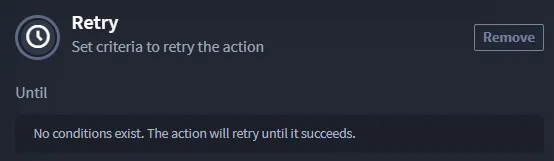
The default conditions are already set. A message states that No conditions exist. The action will retry until it succeeds. That message displays until you update and apply your criteria.
The following table explains the retry parameters and additional information to help you set the criteria.
Retry Parameters | Additional Information |
|---|---|
Until | Start of the conditional expression parameters |
Delayed | Seconds or minutes before retry executes |
Within | Number of attempts |
Retries will timeout after 15 minutes | Number of minutes before the retry times out. This is not configurable and matches the timeout of the playbook. |
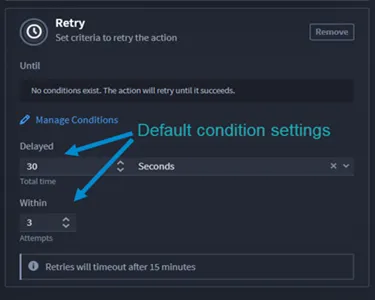
Once you configure the retry criteria, you can click Apply. The action runs until the retry criteria is met.
Use Case
View the Action Retries use caseAction Retries use case use case for an example.