Promote Playbook Inputs to Outputs
Once you create your playbook inputs or configure action inputs, you can promote the inputs to outputs, then map the outputs to applications. See Promote Action OutputsPromote Action Outputs for more information about promoting from the action-level.
To promote and map playbook inputs to outputs, ensure that you complete the steps to create playbook inputs and/or configure action inputs. See Create and Edit Playbook InputsCreate and Edit Playbook Inputs and/or Create Actions and Configure InputsCreate Actions and Configure Inputs for details.
Promote Playbook Inputs to Outputs Example
This example has two parts. First, let's add a new property in the Playbook Inputs Manager. This playbook example has a Slack and a VirusTotal action. The inputs have been configured. To add a new property to inputs:
- From your playbook, click Playbook Inputs.The Playbook Inputs Manager opens and existing input values display. Let's add another input, then promote.
- On Playbook Inputs Manager, click Add a new property.
- From the drop-down menu, select a property.Let's add a number value.
- Click Number.
On Property Configuration, configure the property.
This example uses Number of Messages.
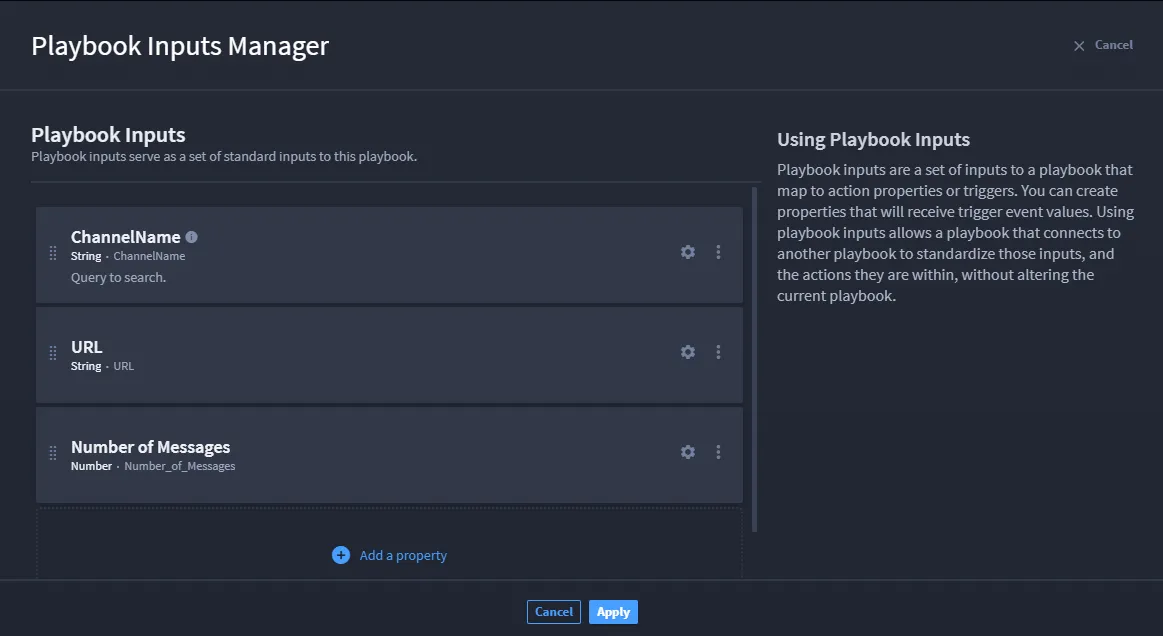
- Click Apply.
- Now, complete the second part by promoting the playbook inputs to outputs.
- To promote the example playbook inputs, return to the playbook and follow the steps below.
Click Playbook Outputs to open the outputs window.
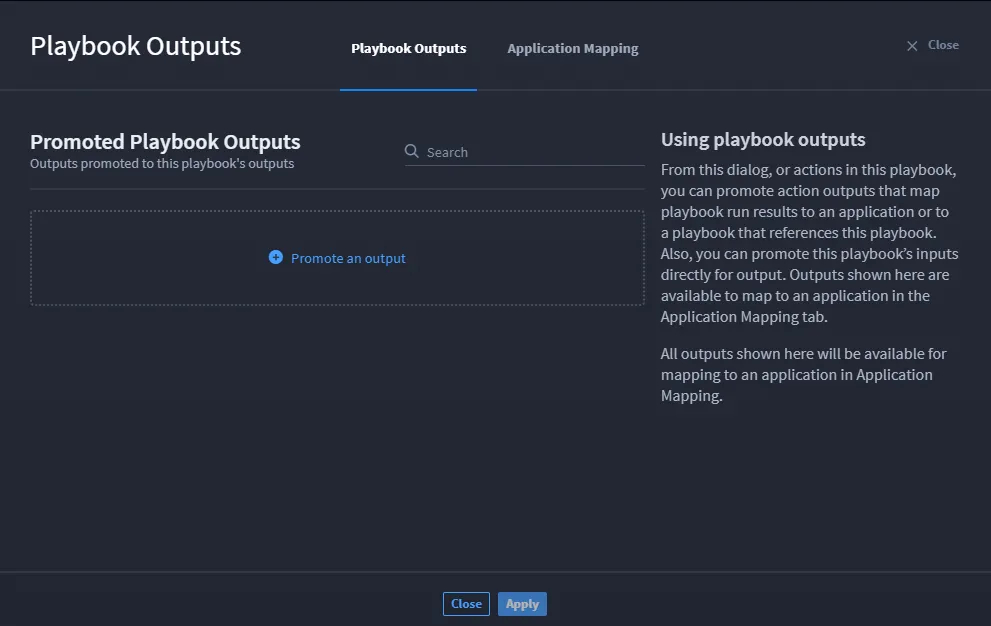
Click Promote an output to open the playbook property drawer.
From here, the Playbook Inputs Manager inputs and action-level inputs are available to select and promote.
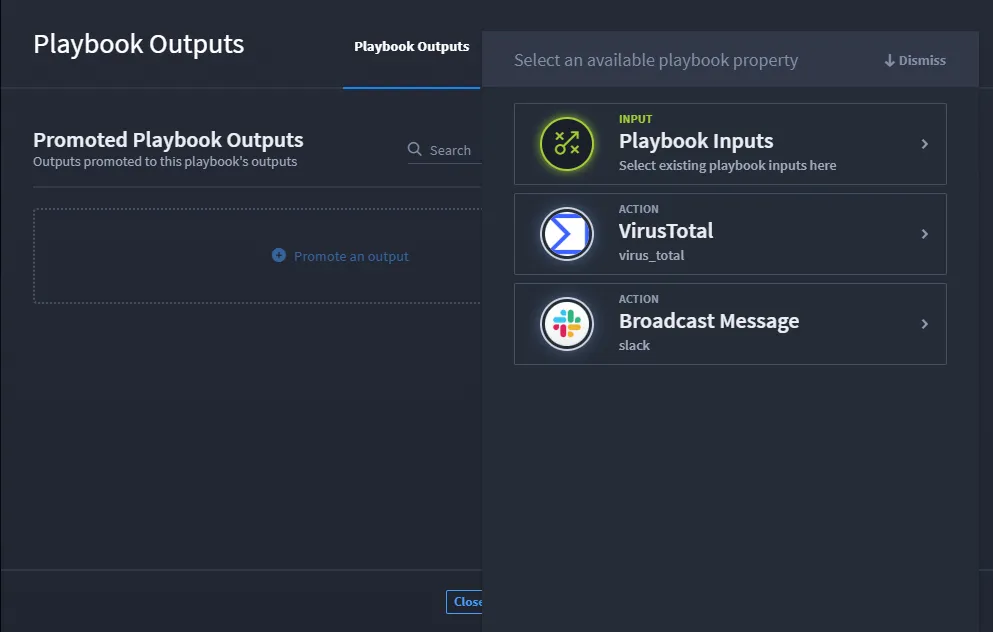
- Select the desired input by clicking the radio button next to it.
What do you do with playbook inputs? Let's look at Playbook OutputsPlaybook Outputs.