If/Else Use Case
Decrease complexity and increase customizability in your playbook by using IF and ELSE conditional statements with the Turbine Condition native action.
Scenario
Aaliyah is an Orchestrator who wants her playbook to execute if the HTTP request comes back with a specific status code. To accomplish this, Aaliyah needs to use the Condition native action to build IF and ELSE conditional statements.
Let's take a look!
As an orchestrator, Aaliyah already knows how to create and configure her playbookplaybook and add an actionaction. So she's ready to jump right in!
- First, select the HTTP Request native action and choose an On Success action flow.Now that Aaliyah has her first action, she's ready for the native action.
- In the playbook, click Add an action.
- In the ACTION drop-down menu, select the native action Condition.
Click Edit Condition.
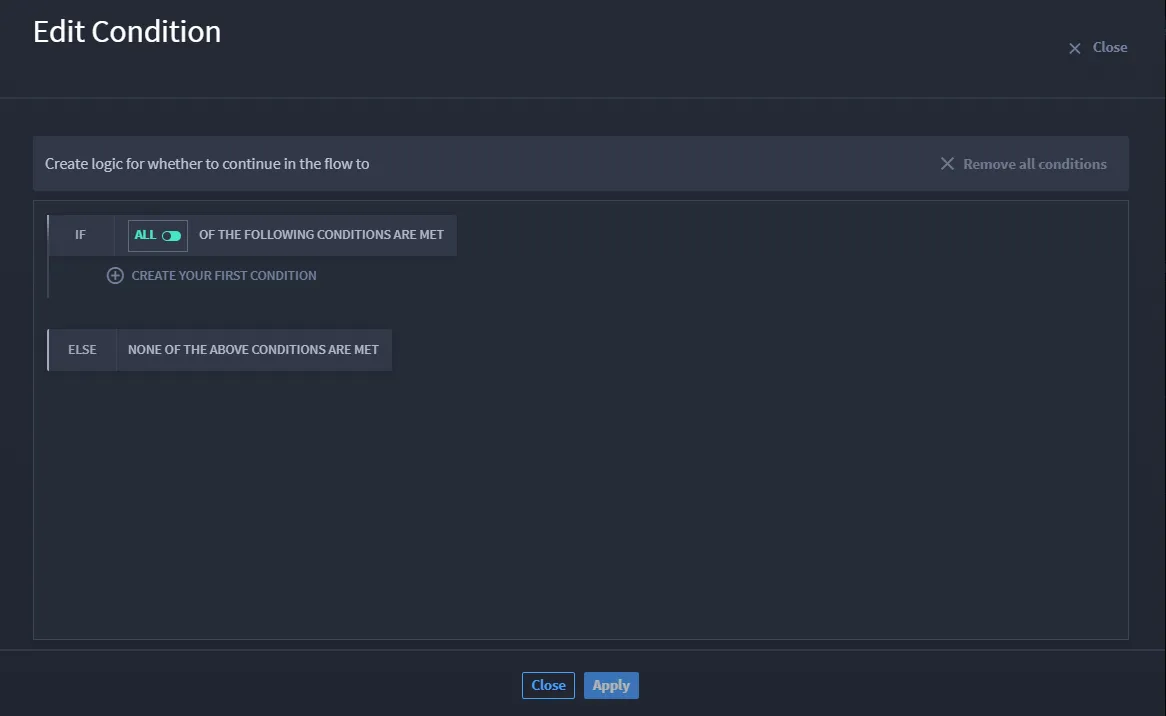
Aaliyah needs to set up a conditional logic. She adds her first condition by opening the condition configuration builder.
- Select Status Code value.
- In the drop-down menu, select IS EQUAL TO.
- Enter 100.
This status code allows information to continue processing. If the status code is not equal to 100, the criteria is not met, which means that the conditional statement is FALSE.
Conclusion
Aaliyah has the beginning of her playbook set up to ensure that if the http request processes successfully she can continue building out the playbook's actions.