Loop Use Cases
forEach Loops iterates through a list by repeating an array across one or more action.
Scenario: Filter Phishing Emails, Loop, Parse, Enrich, and Aggregate Results
Zareen is an orchestrator who needs to send a slack message to her team with the list of IOCs from phishing emails. There are a few ways to accomplish this, but Zareen wants to use the forEach loop feature to iterate through the list by repeating an array across several actions. Zareen uses the GMail - List Emails action and Google_Workspace asset to ingest emails. Then she creates the loop action. Zareen gives the forEach loop a title and configures her actions. She filters for emails with “phishing” in the body of the email, parses the IOCs from those emails, and enriches the data using a VirusTotal action. After, she’ll aggregate the verdict within the forEach loop and pass the results to the final action and broadcast a message via Slack.
Let’s take a look!
First, Zareen refers to the Get GMail Emails ListGet GMail Emails List use case on how to install and configure the Google Workspace connector. Next, she needs to use the Swimlane Content to install a VIC for later use in the playbook. She searches and installs the Get Enrichment from VirusTotal VIC from the Swimlane Content.
From the playbook, add the Get Emails gmail action and configure with your Microsoft Gmail asset to add credentials, delegate account, and userID information.
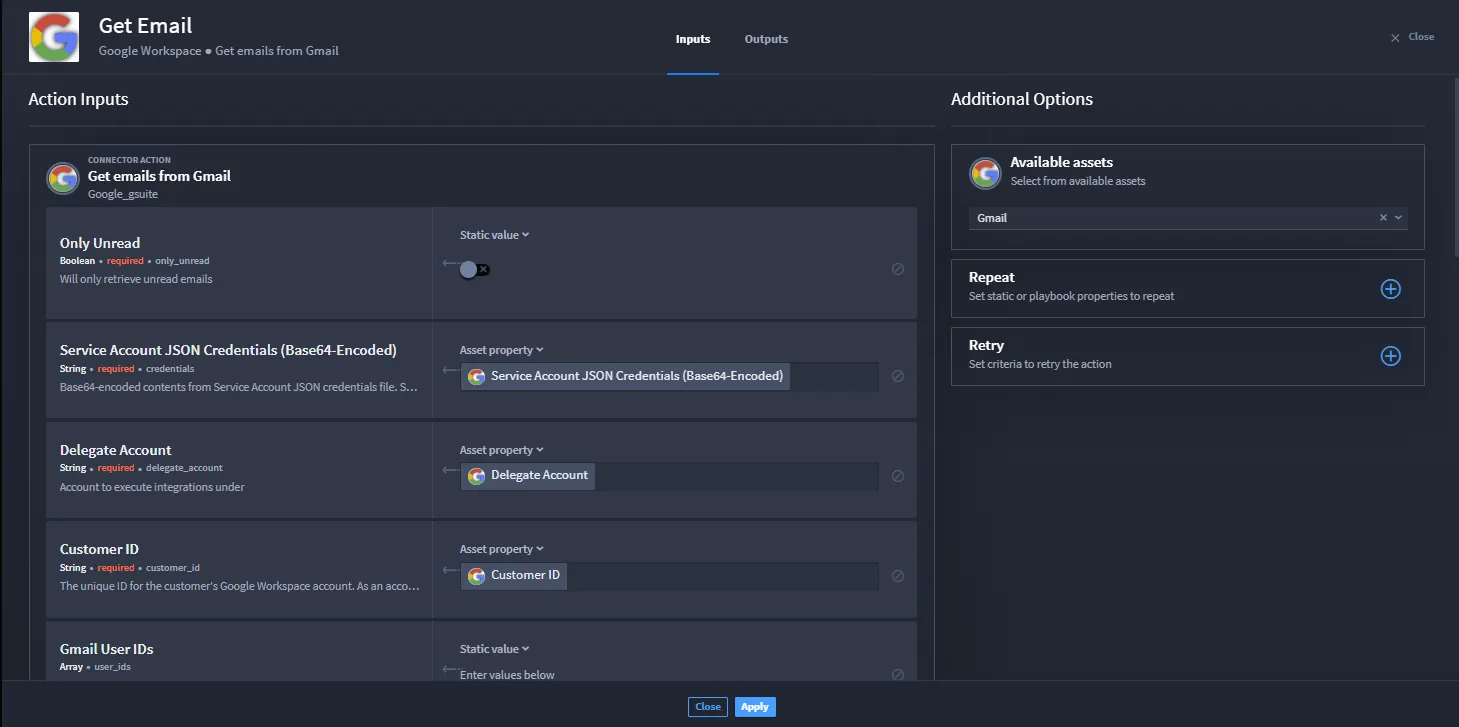
After applying the changes, Zareen wants to create her forEach loop.
- Click the On Success action flow and add the Loop action.
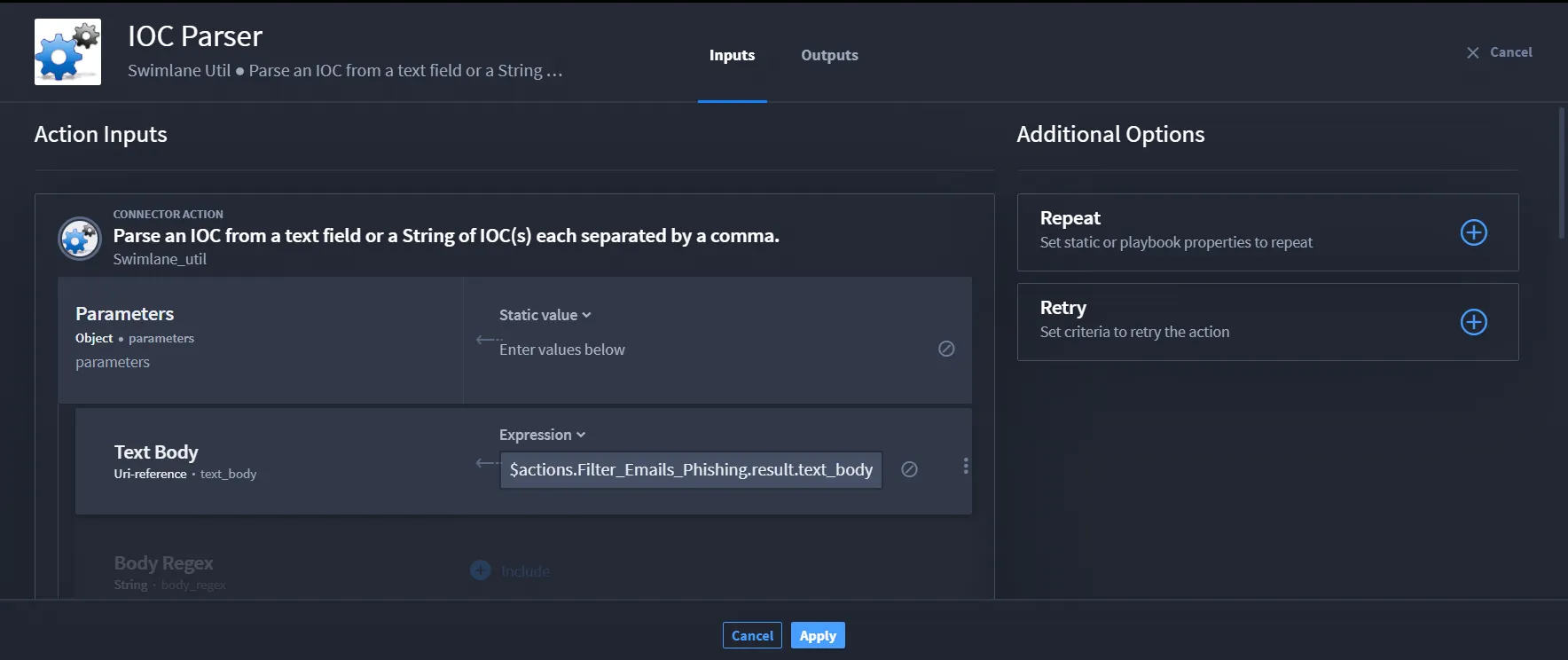
Zareen's ready to configure the forEach loop with downstream actions. To return emails with Phishing in the body, she adds the IOC Parser action and configures another property.
- Scroll through the properties, and click the + Include icon for Text Body property. It moves to the top of the inputs.
- In the Text Body field, click select a property, then click Expression.
Enter $actions.Filter_Emails_Phishing.result.text_body and click Apply.
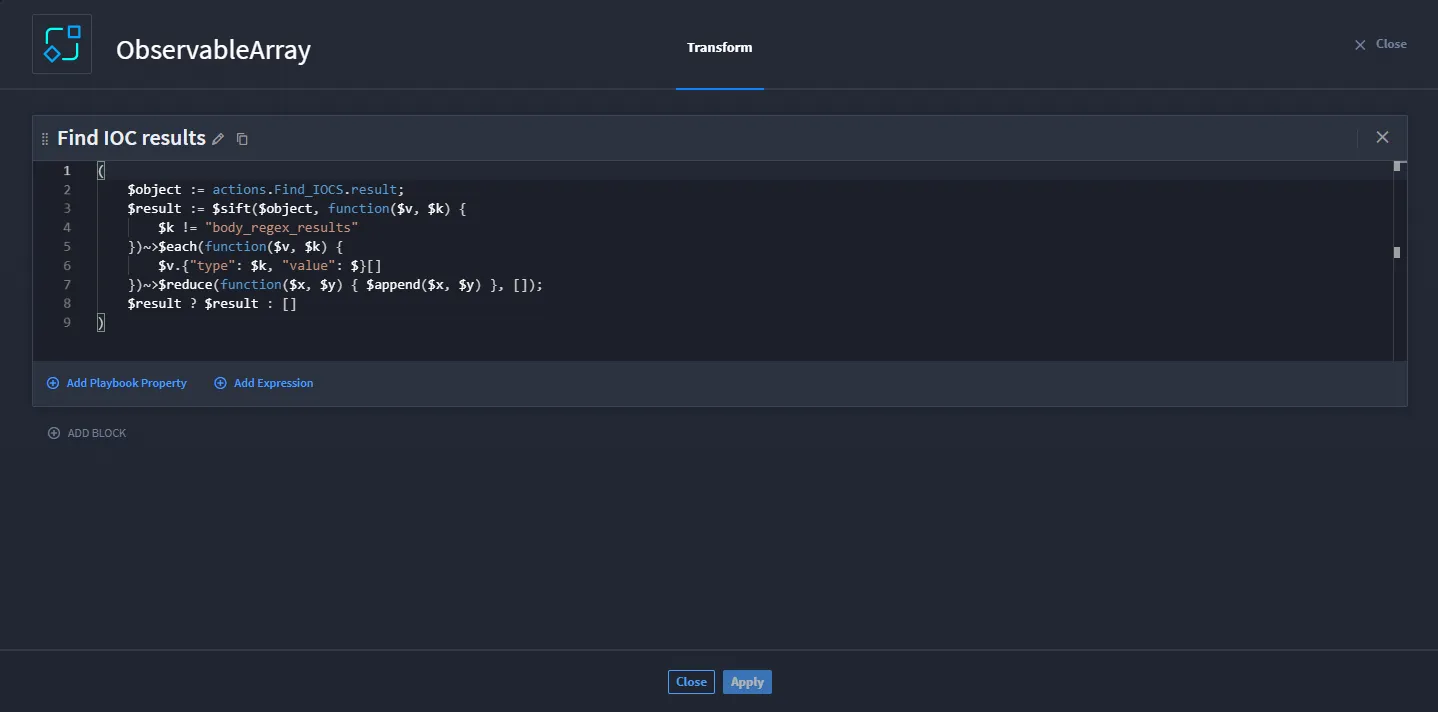
To get an observable array, Zareen needs to use Python to retrieve complex data. She selects the Transform Data action, then switches to advanced mode, and changes the title to reflect the block action: Find IOC results.
Enter the following code and apply changes:
Add the Get Enrichment from VT VIC.
To configure the VIC, open the Get Enrichment from VirusTotal playbook, then:
Click the Search action. Verify the URL and API key are configured in the VT asset.
Now for the final in-loop action. Zareen wants to publish the enriched aggregated results into a Slack message. She uses the Transform Data action and switches to the advanced mode. She changes the title to reflect the block action: Aggregate verdict.
Enter the following code and apply changes: actions.Enrichment_from_VT.published
The last action takes place outside the forEach loop. Zareen is ready to send the aggregated results as a message via Slack.
Click the forEach loop box to highlight.
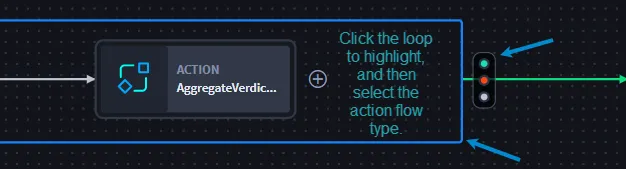
The action flow icon displays. Zareen selects the On Success action flow, then adds her final action.
Add the Broadcast Message action.
The aggregated forEach loop results only come from the last action in forEach loop, so Zareen is finished. The message of IOCs from phishing emails will be sent in a Slack message.
Conclusion
Zareen successfully used loops, transform data actions, and an enrichment VIC to save time ingesting, filtering, and enriching data to identify and reduce MTTR for phishing emails.