How to generate a HAR file (Chrome)
2 min
When there are issues with Swimlane, it is sometimes important to acquire the front-end error logs for the platform. To do so, we have to record a HAR file, which is a log of network requests. Be aware that this file will capture all network traffic on that specific browser tab and export it. Only capture web data that you want to be shared. To capture a HAR file on Chrome:
- Open Chrome, browse to the page with the issue
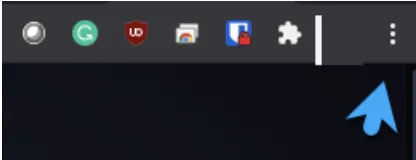
- Go to the vertical ellipsis at the top right
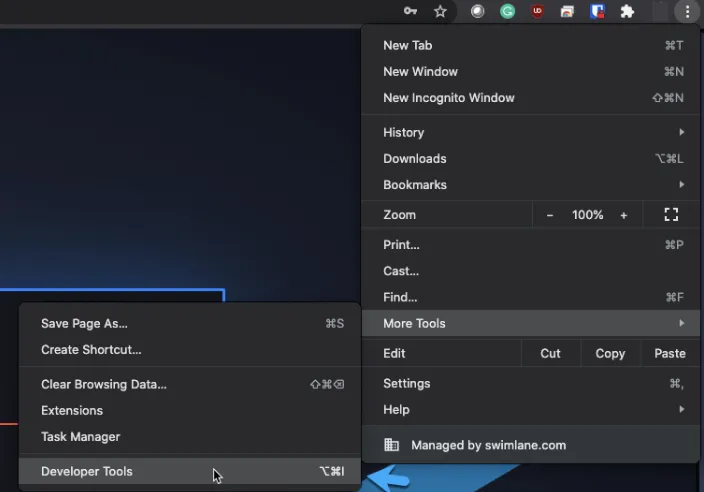
- More tools > Developer tools
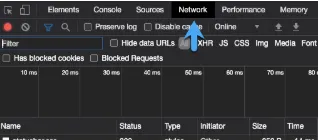
- Select the Network tab at the top
- Generate the error you are troubleshooting (reloading the page, or executing the operation)
- Click “Export HAR” at the top of the screen
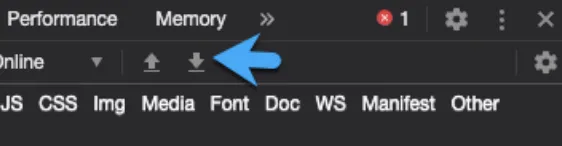
A file with a .HAR extension will download. This file can be analyzed by using the following site: https://toolbox.googleapps.com/apps/har_analyzer/
If a Support Engineer is requesting this file, please submit it as an attachment to a ticket response.