Promote Items of Arrays
Arrays are an ordered collection of values of the same data type. Values vary based on the action connector and/or assets, and may include, but are not limited to: IP addresses, file names, URLs, etc.
You may want items of array properties without having to use JSONata transformations to select certain properties out of action results. Turbine allows you to promote specific items of array action outputs.
Turbine allows you to select All (default), First, or Last level array properties.
Array Level Property | Action Taken |
|---|---|
All | This is the default option. This promotes all items for the selected array property. |
First | This option promotes the first value in an array property. |
Last | This option promotes the last value in an array property. |
To select specific items to promote from an array, you need to use a connector that has at least one array property value. If not, you will not see the drop-down option to select all, first, or last.
On Action Outputs, options vary depending on the connector and configuration. However, next to Array property types, the promotion level drop-down menu defaults to All Items. The Promoted Playbook Outputs pane is empty until you promote action outputs.
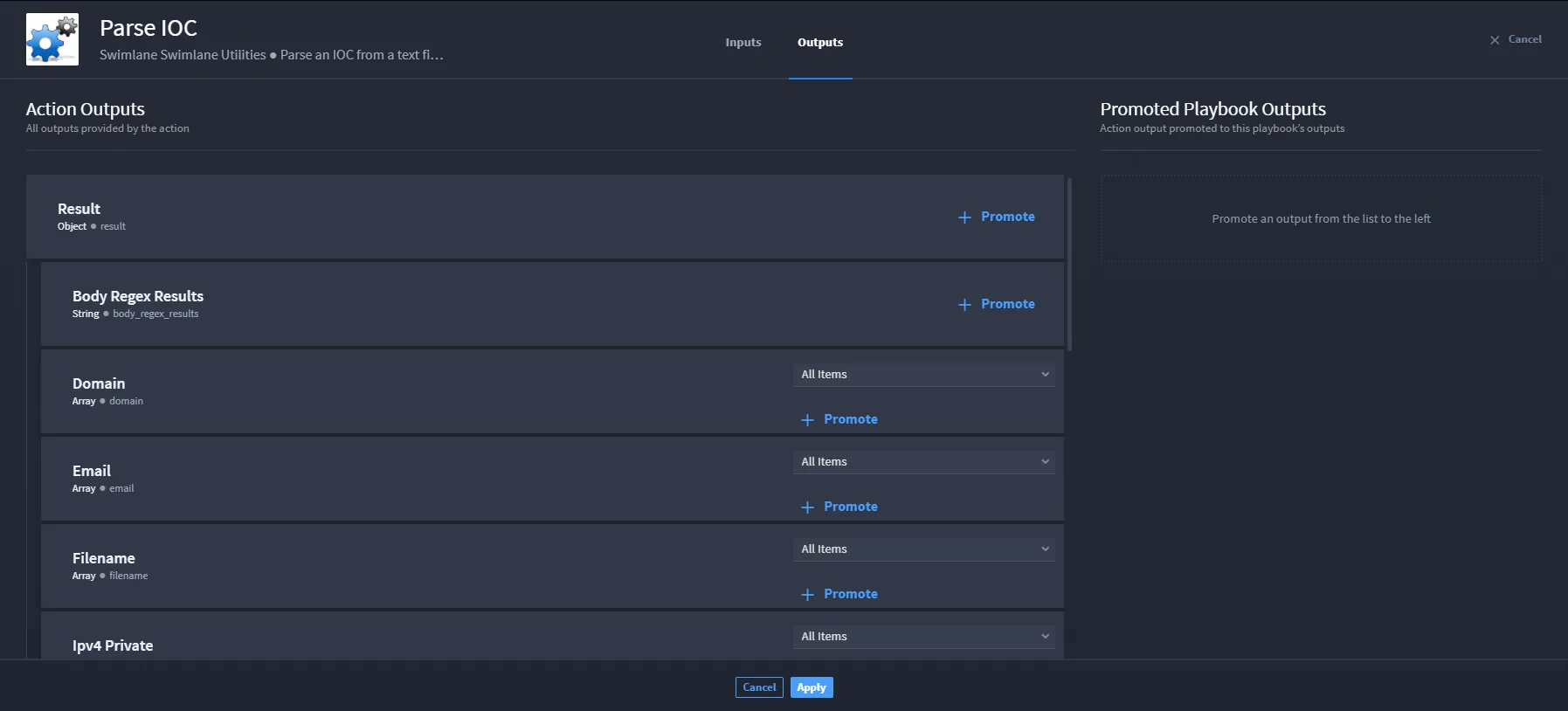
You have a few options. Let's start with promoting all items on an array.
Promote All Items
In the example, there are three visible array properties: Domain, Email, and Filename. For this example, let's focus on the Domain array.
To promote all of the items in the Domain array:
- Next to the Domain array, leave the promotion-level drop-down menu in its default state: All Items.
Click +Promote to see the array property in the Promoted Playbook Outputs.
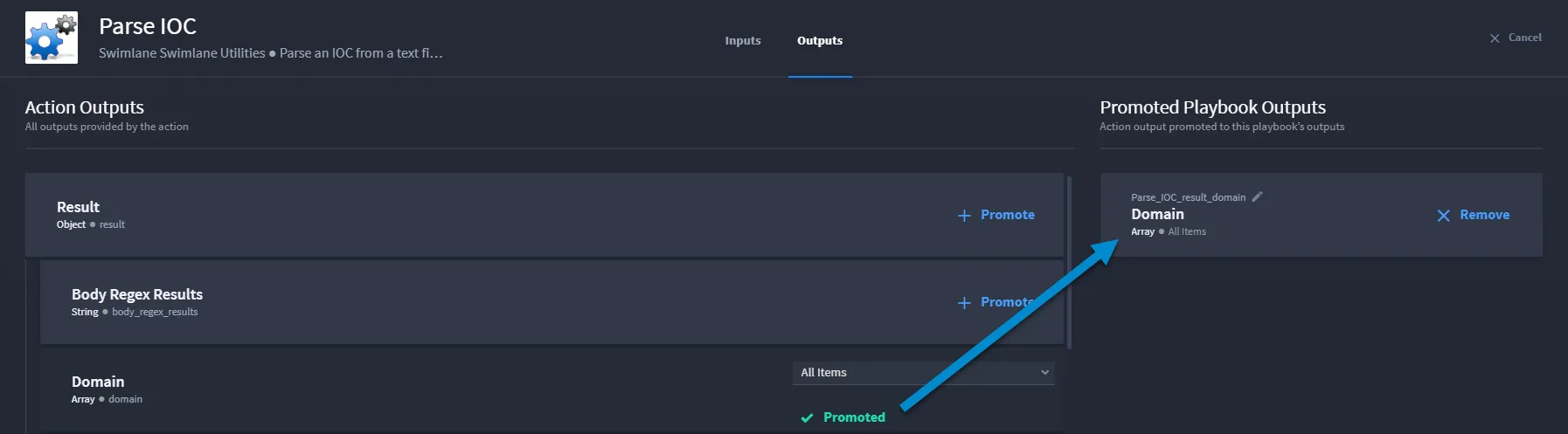
From Promoted Playbook Outputs, the Domain array outputs all values for that array.
Promote First Value
In the example, there are three visible array properties: Domain, Email, and Filename. For this example, let's focus on the Email array.
To promote the first value of the items in the Email array:
- Next to the Email array, click the promotion-level drop-down menu and select First.
Click +Promote to see the array property in the Promoted Playbook Outputs.
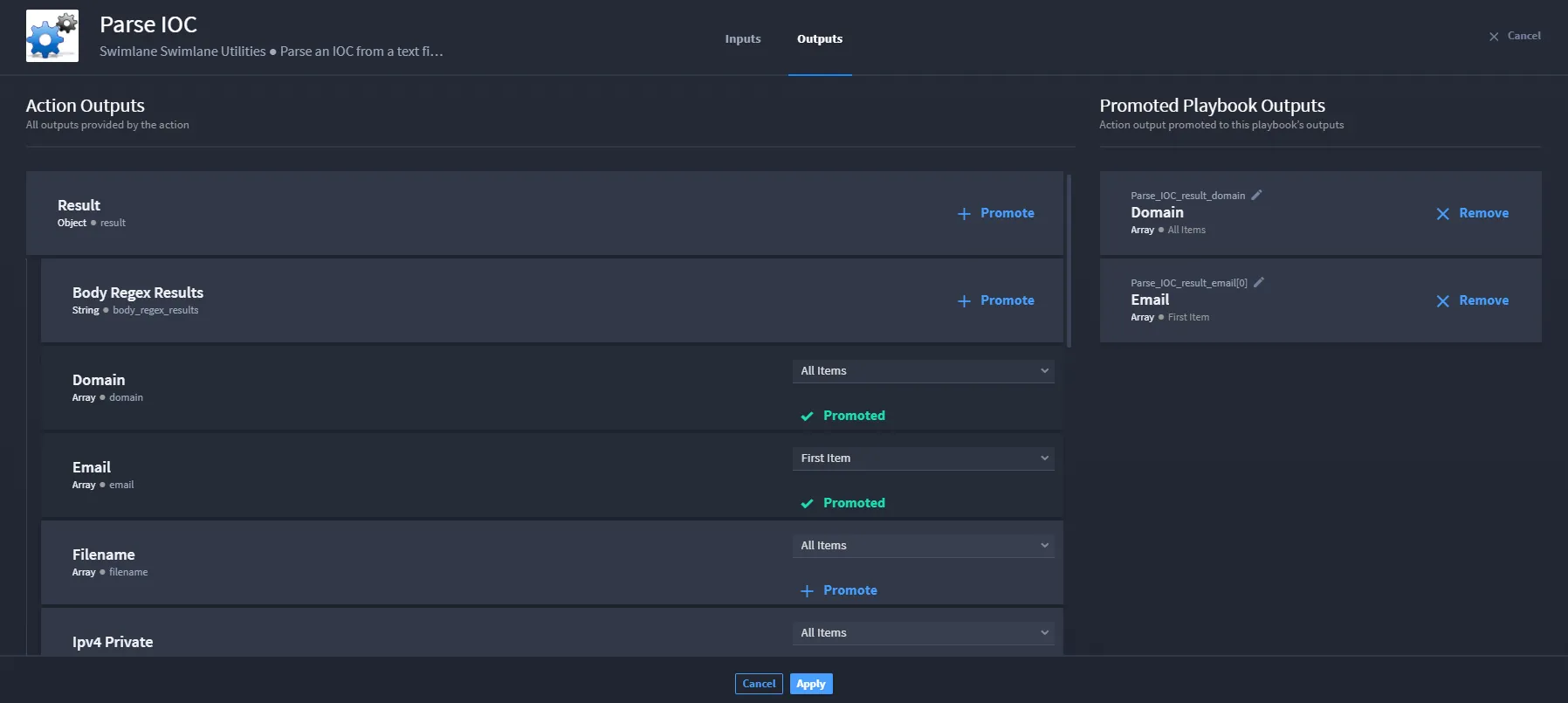
- From Promoted Playbook Outputs, the Email array outputs only the first item for that array.
Promote Last Value
In the example, there are three visible array properties: Domain, Email, and Filename. For this example, let's focus on the Filename array.
To promote the last value of the items in the Filename array:
- Next to the Filename array, click the promotion-level drop-down menu and select Last.
Click +Promote to see the array property in the Promoted Playbook Outputs.
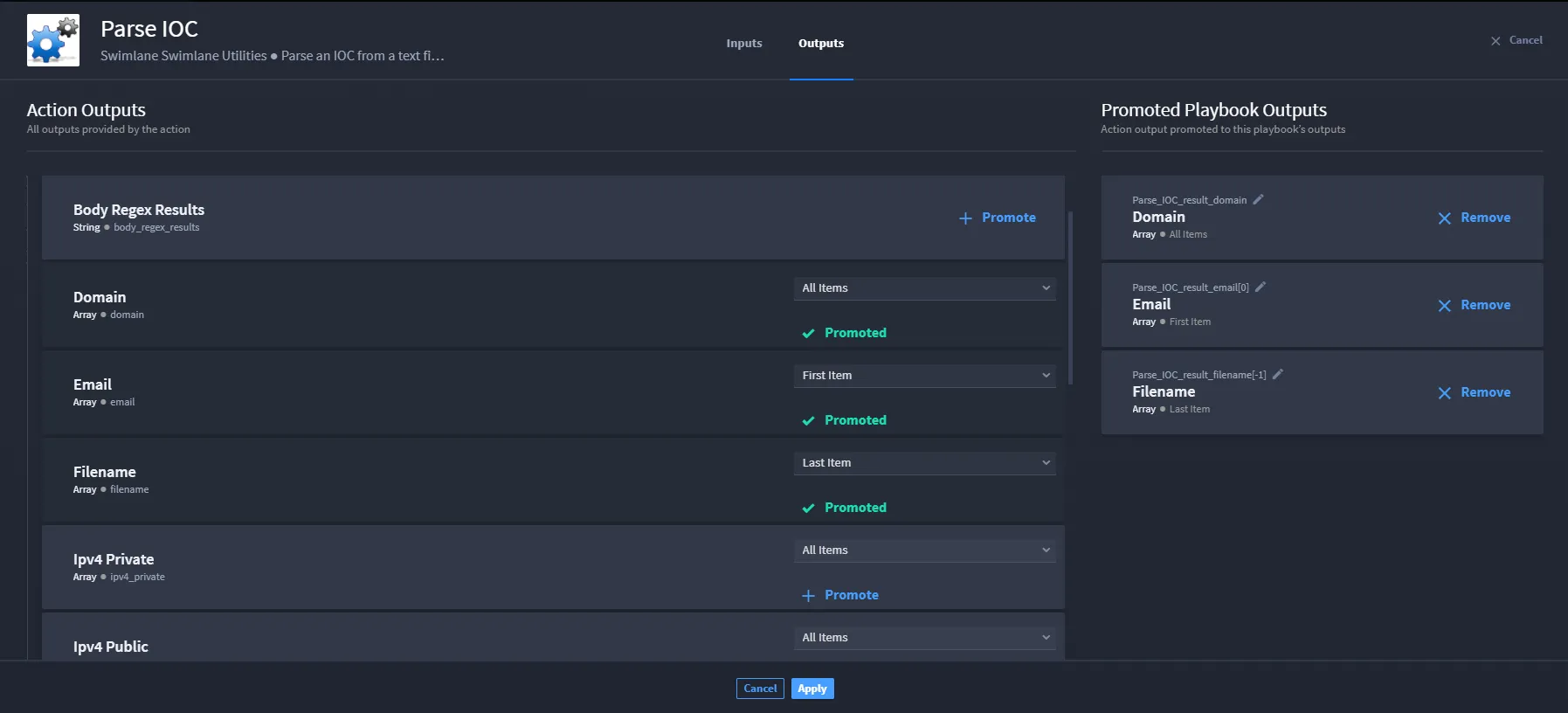
From Promoted Playbook Outputs, the Filename array outputs only the last item for that array.
Tips and Things
Notice the difference in the promoted outputs among the three examples. Domain outputs All Items; Email outputs First Item; Filename outputs Last Item.
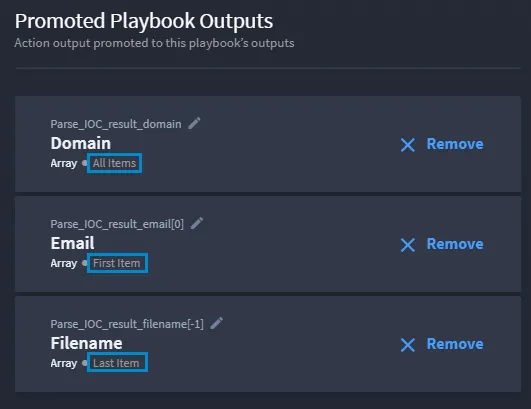
To remove a promoted action item, you must click X Remove.
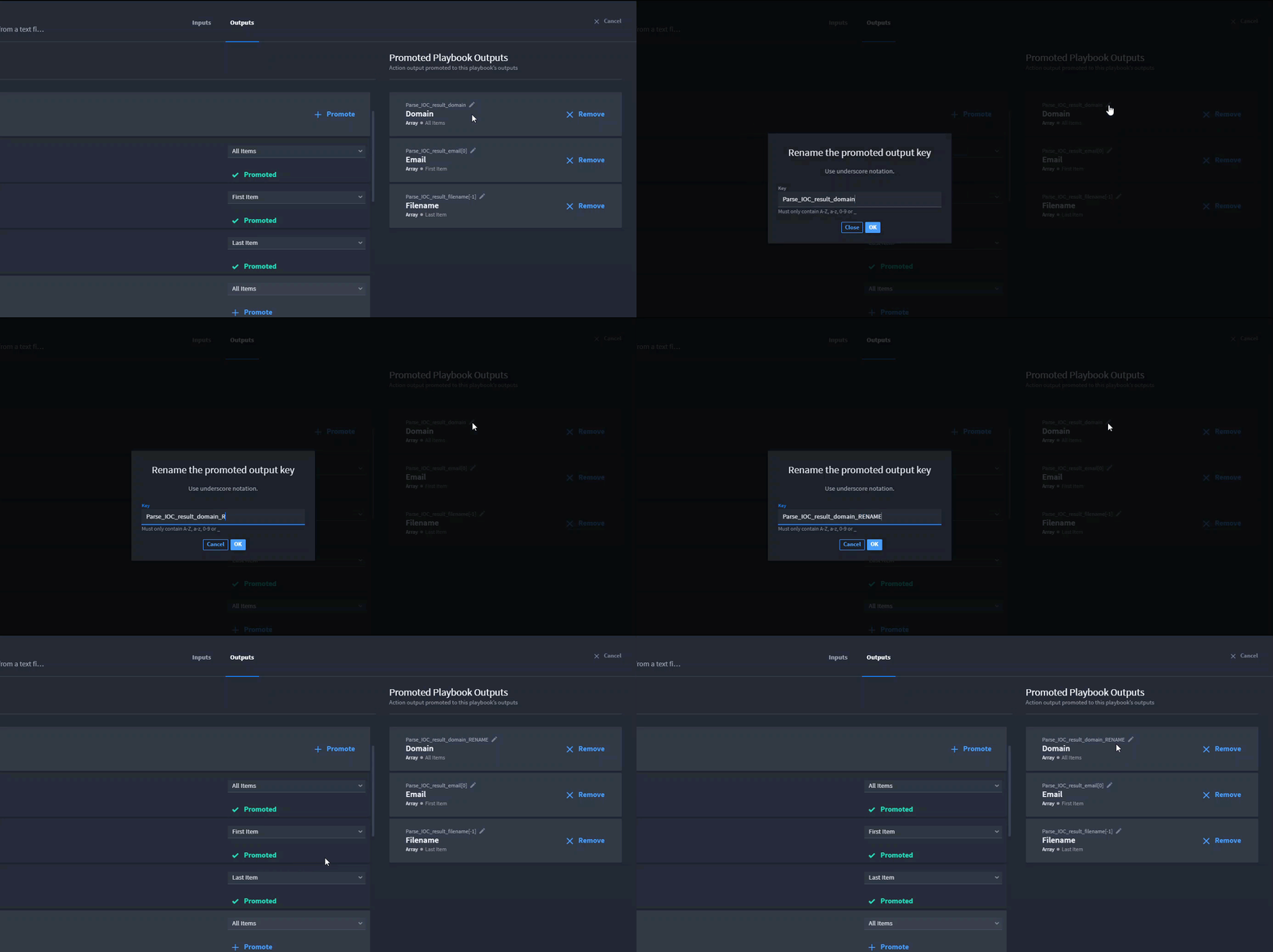
You can rename the key of a promoted output. Click the edit icon next to the output key name, and then rename as desired. Then, click OK to return to Action Outputs.