Setting Up Security Parameters
1 min
As an administrator, you have control over password reset intervals and the required complexity for user passwords. This section also allows you to enable Two-Factor Authentication (2FA) for accessing Turbine and specify an administrator email to receive security notifications.
To set up security parameters:
- From the Sessions & Security tab, click > to expand the Password controls.
- Specify a password expiration length in Days. The only other option is Never. Users will be prompted to create a new password when this expiration date is reached. Note: This setting does not apply to users synced from Active Directory.
- Use the drop-down menu to select the appropriate value for Minimum Password Complexity. The available values are:
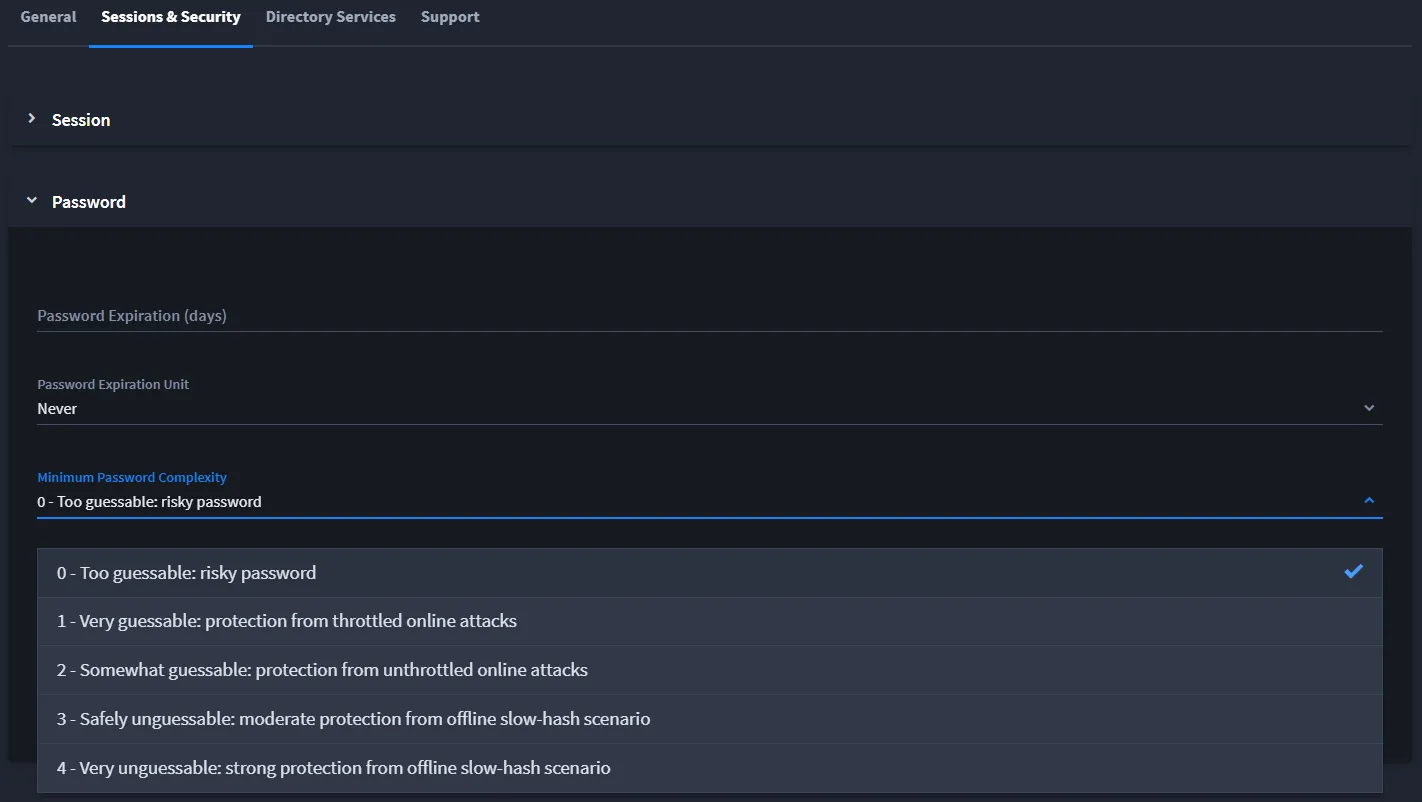
- Set the number of consecutive failed login attempts before a user's account is locked using the Number of Allowed Failed Logins field. The minimum number of failed logins is 3, and the maximum is 10.
- Specify the Security Notification Email for your organization. This email will receive notifications when user profiles are locked due to security issues.