Installation
Install the Agent:
- In Swimlane UI: SETTINGS > Tenant-Specific > Agents
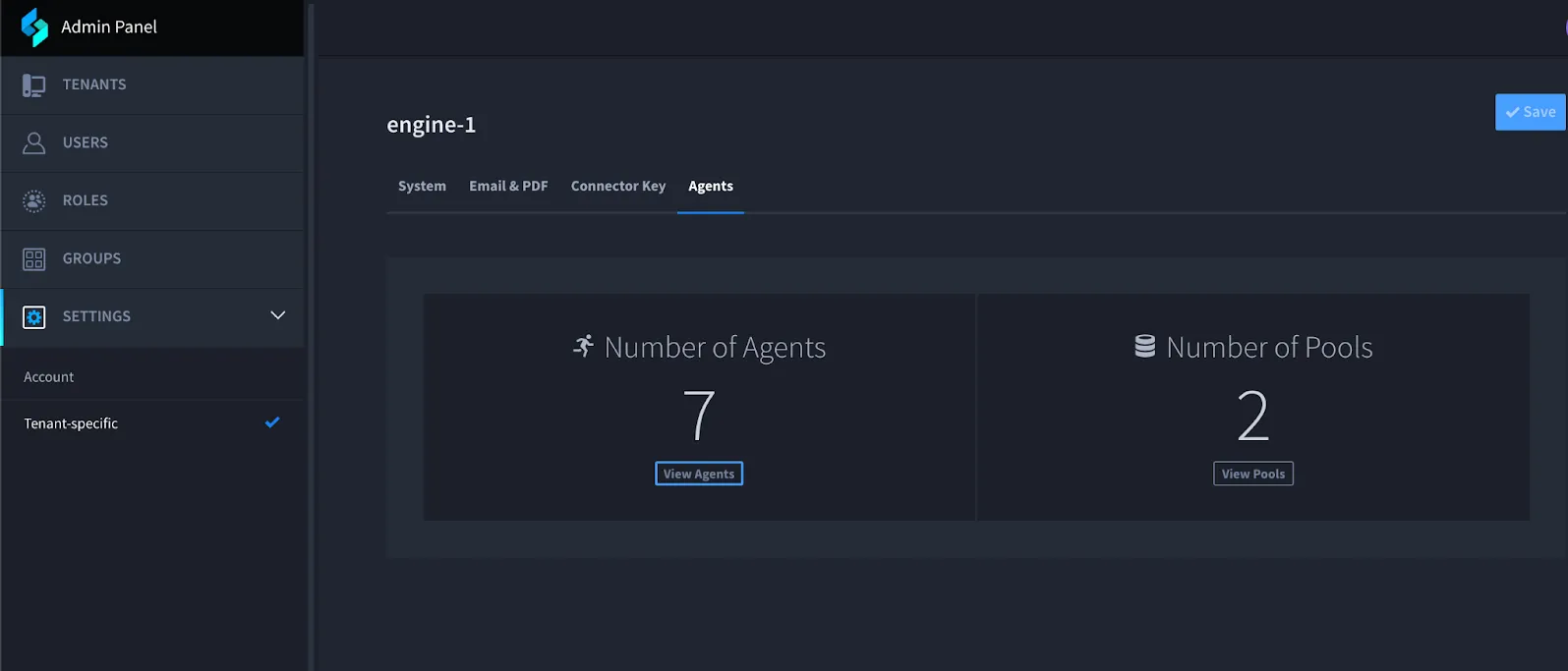
- Click View Agents to see your agents and pools.
- Click Deploy Agent to open the install window. Note: Do not click outside this window or it will close and you must start again.
- Fill in required fields (see below for field details).
- Click Copy install script.
- Paste the script into your terminal and run it.
- Answer any prompts or questions to finish installation
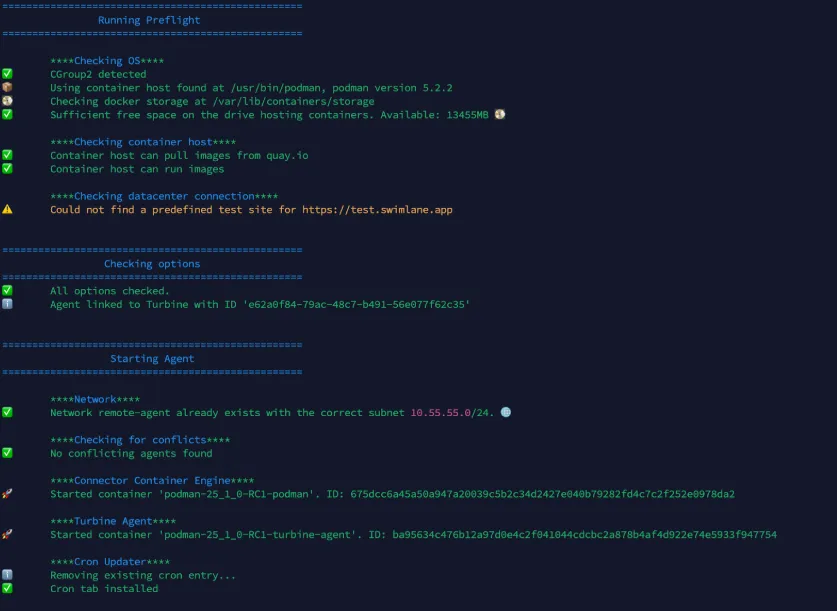
Sample Install Script
The script prompts for your Turbine username and password. Credentials are not saved.
Configuration Options
Agent Install Script Fields:
Only Required Field | Information |
|---|---|
AGENT_NAME | The name of the agent, will prompt if not provided (This value is prefixed with agent-.) Agent name can only contain letters, numbers, underscores, or hyphens. Do not use spaces. |
Customizable Fields | Information |
CA_CERT_PATH | Path to a folder of CA Certs to be mounted for certificate validation (helpful for self-signed or internal certs). |
AGENT_INITIAL_POOLS | The initial pools to join. You can add more than one. |
AGENT_CONTAINER_NETWORK_SUBNET | The container network subnet in CIDR format. Default: 10.55.55.0/24 |
HTTP_PROXY | Add HTTP proxy support for remote agents. Example: http://username:password@host:port |
NO_PROXY | Comma-delimited list of URLs which may bypass the above proxy settings. Example: swimlane.com,google.com |
CRON_SCHEDULE | The user that will execute the cron job that performs updates to the agent images. The user needs to be able to execute docker commands and curl requests. For assistance creating a cron user, please contact your Linux first line of support. |
Ignore Insecure Certificates | Instructs the agent and its connectors to ignore insecure certificates while connecting to HTTPS sources. |
Allow Insecure Certificates for Gateway Communication | Allows an insecure certificate when connecting to the host Turbine instance’s gateway. |
Note: Additional options may be available, but only via command line. Usage information is available by running the script directly.
Preflight Checks
During installation, the script will attempt several checks. Please watch for warnings or errors. The warnings or errors may not prevent installation, but could effect stability or performance of your remote agent
Checks Performed
- Primary Swimlane Turbine system connection
- Login Credentials
- Image Access from Quay.io (or other image repositories provided)
- CGroupv2 Enablement
- Container host version, function, and storage size
- Ability of the container host to run an image
- Quality of connection to a Turbine Cloud environment (including latency)
- Virtual Container Network settings
- Conflicting containers or networks on the container host