Color Code the Records
Reports now support color coding, allowing you to highlight records in different colors based on specific conditions. You can define up to five custom conditions per report. The system's flexibility ensures that you can customize the conditions to suit the individual workflow, allowing you to focus on the most pressing issues. This makes it easier to view and prioritize records according to urgency, time sensitivity, and SLA requirements.
By leveraging this feature, you can quickly identify high-priority tickets, ensuring that critical tasks are completed promptly. This leads to improved efficiency and a smoother experience.
Conditional Format Rules
You can set conditions to color-code the records, making it easier to differentiate or highlight them based on priority.
To set the conditional rules for color coding:
- Navigate to APPLICATION RECORDS.
Click the three vertical lines at the right end of the screen.
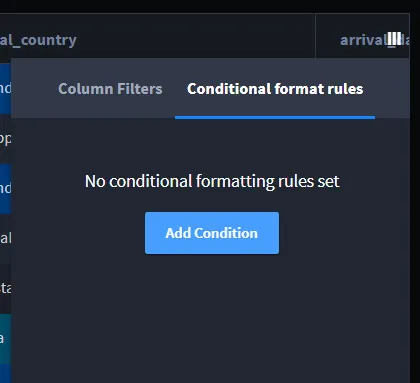
Select Conditional Format Rules -> Add Condition. The Add Condition screen appears.
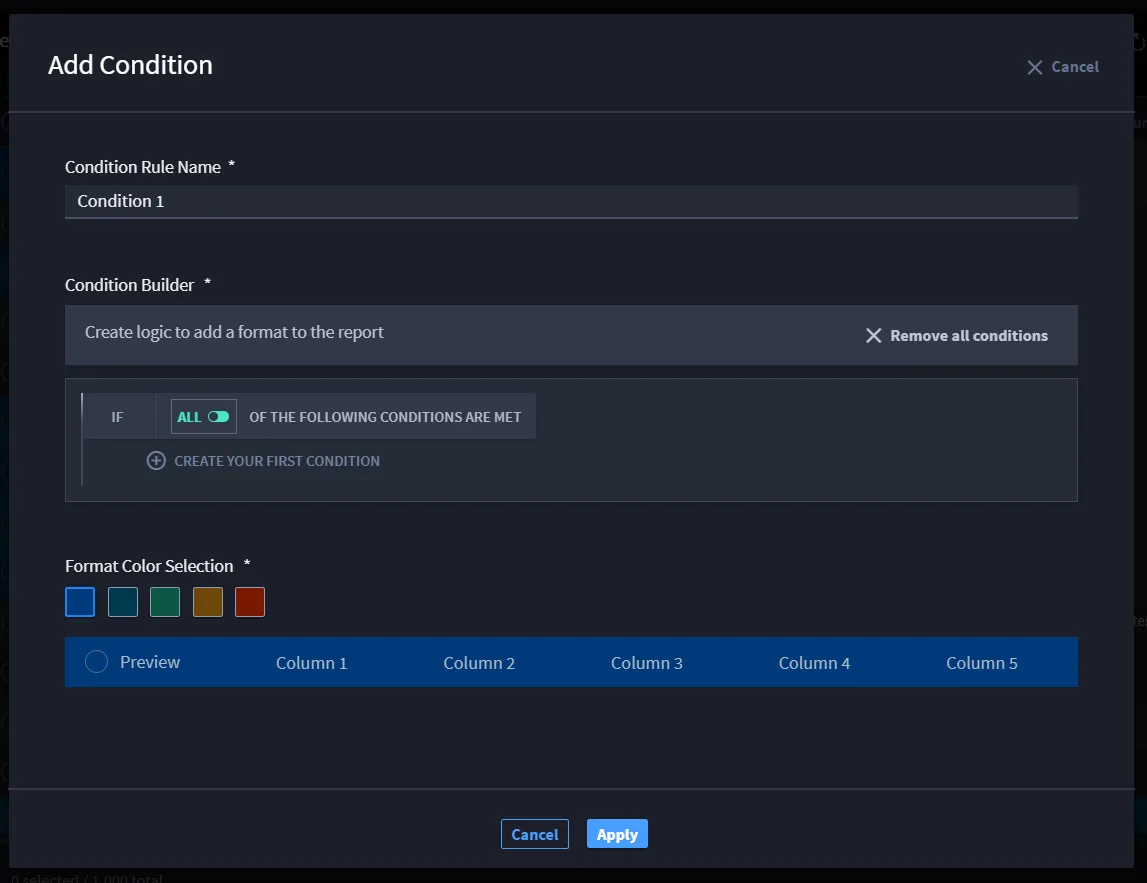
- Enter the required information:
- Condition Rule Name: Provide a name for the rule.
Condition Builder: Define logic for the format by selecting the row name and applying a condition (e.g., different logical operators).
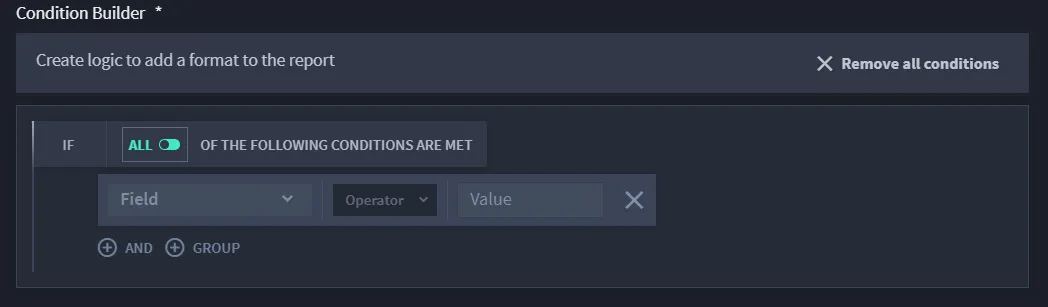
- Format Color Selection: Choose a color to apply to the condition. Only one color can be assigned per condition. duplicate color
- Click Apply.
In custom filters, if you deselect a filter column, the records related to that column will be deleted. Additionally, the column will no longer appear in the condition builder, preventing you from setting conditions for it.