Bulk Restrict and Lock Records
Overview
The Bulk Restrict and Lock Records functionality allows administrators and authorized users to apply restrictions and locking mechanisms to multiple records simultaneously. This feature ensures that sensitive or critical records are secured efficiently, minimizing manual errors and saving time. To enable the feature contact Swimlane Support.
Purpose
The primary purpose of this feature is to:
- Enhance data security by preventing unauthorized access or modifications.
- Provide a streamlined method for managing records in bulk.
Benefits
- Efficiency: Perform actions on multiple records at once, reducing manual effort.
- Accuracy: Minimize errors associated with manual restrictions and locks.
- Compliance: Ensure records meet data protection standards and legal requirements.
Locking Records
When a record is locked, only the user who locked the record and administrators can modify it. A lock icon appears next to the locked record for visual identification.
Steps to Lock Records:
- Navigate to Tenants > Application Records.
- Select multiple records using the checkbox next to each record.
Click Bulk Edit.
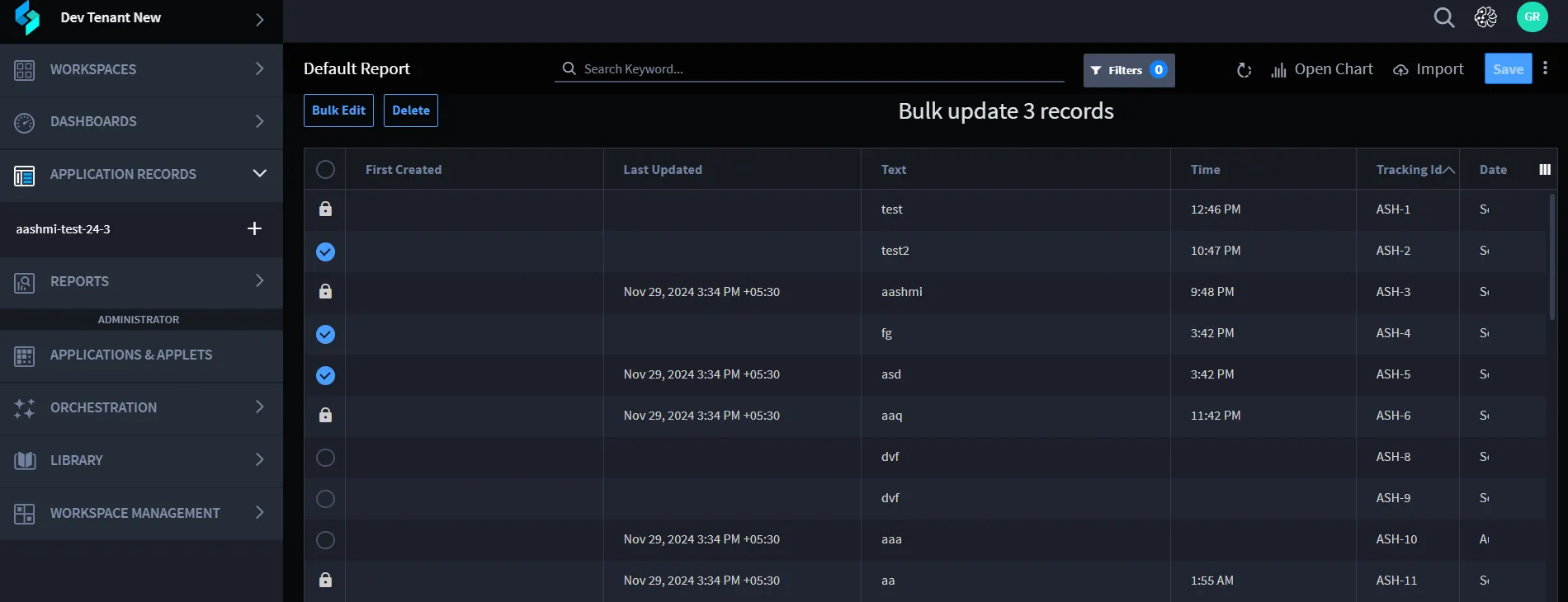
Choose the Lock option.
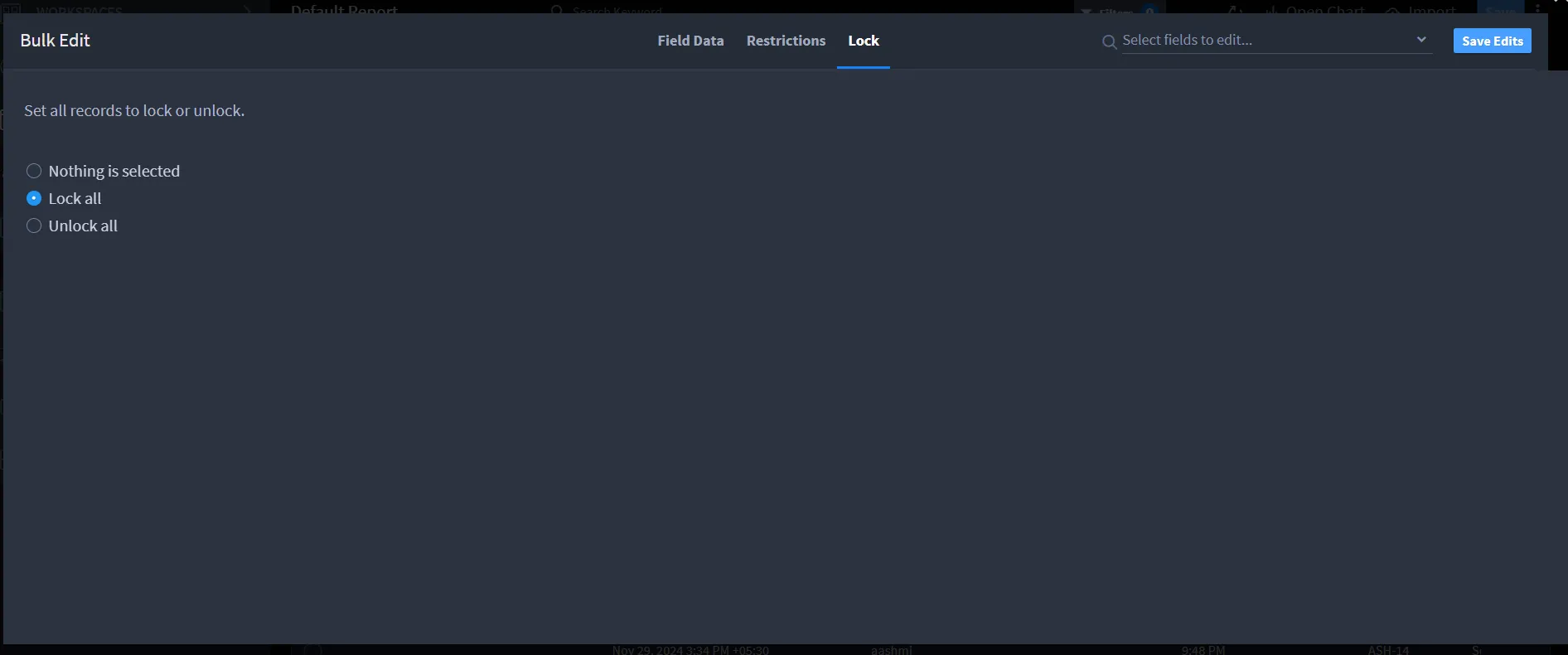
- Choose Lock All/ Unlock All based on your preference.
- Click Save Edits.
Restricting Records
The restrict feature limits record visibility to specific users or user groups. Administrators can assign access to different users or groups based on their needs.
Steps to Restrict Records:
- Navigate to Tenants > Application Records.
- Select multiple records using the checkbox next to each record.
- Click on Bulk Edit.
Choose the Restrictions option.
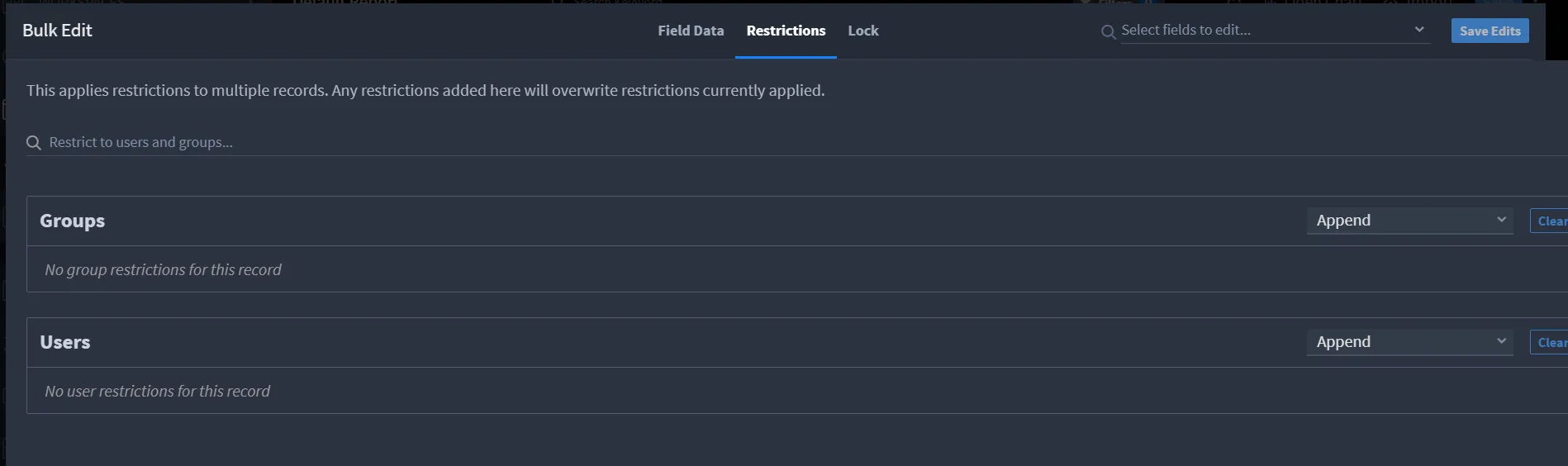
Restriction Options
- Group Restriction: Limit access to specific user groups.
- User Restriction: Limit access to individual users.
Admins can use the restrict option to set conditions at group or user levels.
Admins can set conditions at group or user levels using the following options:
Option | Description |
|---|---|
Append | Adds the selected users or groups to the current list. |
Remove | Removes the selected users or groups from the list. |
Set | Overwrites the current list with the selected user/ groups. |